About Slack
Overview
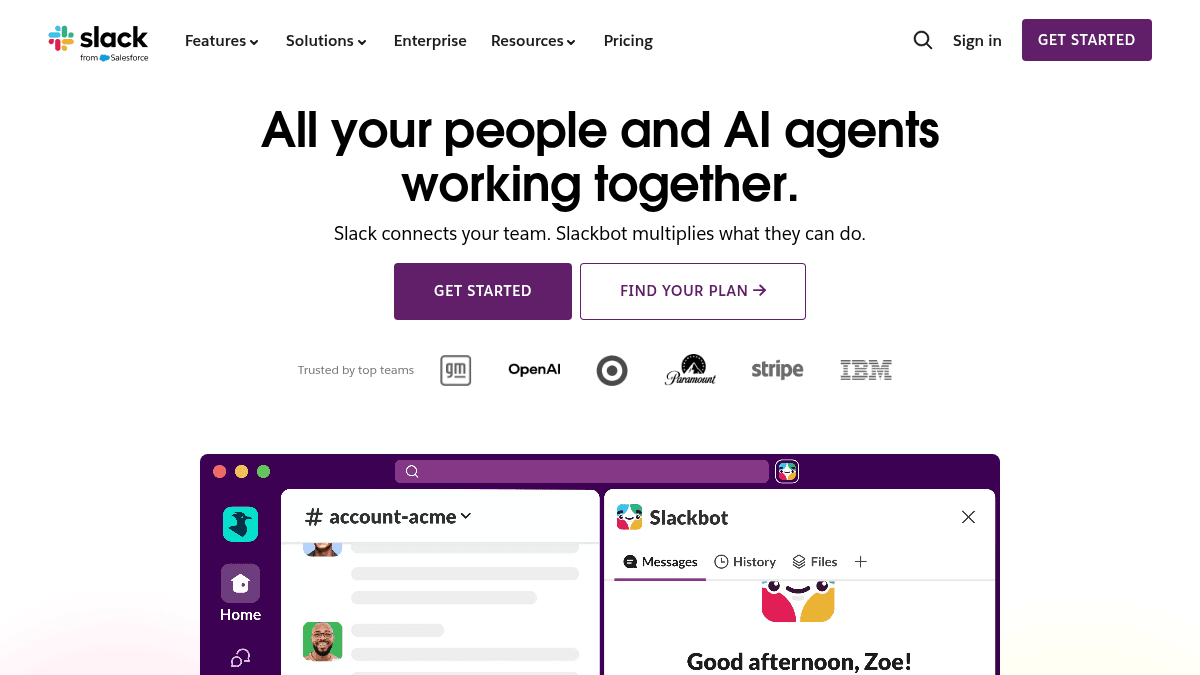
Slack is an AI work platform that organizes team communication, projects, and integrations in a single workspace. Teams use Slack to chat in channels, host audio and video meetings, share files, and automate everyday tasks without switching between apps.
Unlike email and disconnected tools, Slack keeps conversations and context together in channels that organize by team, project, or client. The platform includes AI features like Slackbot (a personal AI agent), conversation summaries, and AI workflow generation to help teams work faster and find information instantly.
Key Benefits
- Keep unlimited message history and unlimited app integrations on paid plans to centralize all team work in one place.
- Automate repetitive tasks with Workflow Builder and AI-powered agents instead of switching between manual tools.
- Use Slackbot to summarize conversations, generate workflows, and answer questions without leaving Slack.
- Run group meetings with audio and video huddles, plus record and share updates with clips.
- Collaborate with external partners and customers through Slack Connect and direct messaging.
- Organize and track projects with templates, canvas docs, and list features built into the workspace.
How It Works
You create channels to organize work by team or project, then invite members and start messaging directly or in threads. You add apps and integrations to pull in external tools, then use Workflow Builder to automate tasks or ask Slackbot to summarize conversations and generate workflows based on what you describe.
Use Cases
- Engineering teams use channels to organize code reviews, deployments, and incident response, then automate notifications and workflows for faster troubleshooting.
- Customer service teams run huddles for support calls, use canvas docs to draft responses, and ask Slackbot to summarize customer conversations for faster resolution.
- Sales teams organize deals by account in channels, update Salesforce records via Slack CRM, and ask Slackbot to refresh deal details.
- Project managers organize tasks in lists, assign templates for recurring work, and use AI summaries to keep stakeholders informed.
- Marketing teams share campaign assets, coordinate across brands with Slack Connect, and automate social posting through workflow integrations.
- HR teams manage onboarding processes with templates, organize department updates in channels, and use enterprise search to find policies and org charts.
Why Choose This Product
Slack is best for teams of any size that want to centralize chat, projects, and integrations in one platform without switching between apps. The free plan includes basic chat and 90 days of message history for up to 10 apps, while Pro and Business+ plans unlock unlimited history, advanced AI, and enterprise-grade features like Salesforce CRM integration and compliance tools. Enterprise+ requires contacting sales and adds multi-account management and additional AI capabilities.
Slack Pros & Cons
- Free plan with basic chat, 1:1 meetings, and 90 days of message history for teams getting started
- Unlimited message history, integrations, and group meetings on Pro and higher plans
- Slackbot AI agent included on all plans with summaries, workflow generation, and search
- Enterprise-grade security with data encryption, SAML SSO, and compliance programs
- Free plan limited to 90 days of message history and 10 app integrations
- Group meetings and external group messaging only available on Pro plan and higher
- Enterprise+ pricing requires contacting sales with no public price listed
Key Features
Channels & Messaging
Organize team conversations by project, department, or client in channels with threaded discussions.
Slackbot AI Agent
Personal AI assistant that summarizes conversations, generates workflows, explains messages, and answers questions without leaving Slack.
Slack Connect
Share channels with external partners and customers to collaborate securely outside your workspace.
Huddles & Clips
Host audio and video meetings directly in Slack, record clips, and share video updates with your team.
Workflow Builder
Automate repetitive tasks and integrate apps without coding by creating workflows that trigger on messages or schedules.
Canvas & Lists
Create rich, flexible documents and organize projects with customizable lists to track tasks and status.
Enterprise Security
Data encryption in transit and at rest, SAML single sign-on, audit logs, and compliance frameworks for regulated industries.
Enterprise Search
Search across all messages, files, and conversations from a single search bar to find information instantly.
App Integrations
Connect over 2,000 third-party tools like Salesforce, GitHub, Jira, and Asana to centralize work in Slack.
Slack CRM
Manage customer relationships and Salesforce records directly in Slack, or use Slack CRM for Small Business.
Slack Pricing
View full pricing →- 90 days of message history
- Up to 10 apps
- 1:1 meetings
- Basic AI with conversation summaries
- Slackbot personal AI agent
- SAML-based single sign-on
- Unlimited message history
- Unlimited app integrations
- Group meetings
- Basic AI with conversation summaries
- Slackbot and AI workflow generation
- Native data loss prevention
- Unlimited message history
- Unlimited app integrations
- Advanced AI features
- AI workflow generation
- Enterprise search
- Native data loss prevention
- Unlimited message history
- Unlimited app integrations
- Enterprise-grade AI
- AI workflow generation
- Enterprise search
- Multiple SAML configurations
| Feature | Free Free | Pro $4.38/mo | Business+ $9/mo | Enterprise+ Custom |
|---|---|---|---|---|
| 90 days of message history | ||||
| Up to 10 apps | ||||
| 1:1 meetings | ||||
| Basic AI with conversation summaries | ||||
| Slackbot personal AI agent | ||||
| SAML-based single sign-on | ||||
| Unlimited message history | ||||
| Unlimited app integrations | ||||
| Group meetings | ||||
| Slackbot and AI workflow generation | ||||
| Native data loss prevention | ||||
| Advanced AI features | ||||
| AI workflow generation | ||||
| Enterprise search | ||||
| Enterprise-grade AI | ||||
| Multiple SAML configurations |
Pricing extracted from the product website and may change. Check the source for current details.
Frequently asked questions about Slack
Which plan do I need to use Slackbot?
Slackbot is available on all Slack plans, including the free plan. All tiers include basic AI features like conversation summaries, workflow generation, and AI search.
Can I use unlimited apps and integrations on the free plan?
No, the free plan supports up to 10 apps. Pro, Business+, and Enterprise+ plans offer unlimited app integrations so you can connect all your tools.
What happens to messages on the free plan?
The free plan stores 90 days of message history. Pro and Business+ plans offer unlimited message history so you can search all past conversations.
How is Slack billed for multiple users?
Slack charges per user per month. You are billed when new users are added to your workspace and can add or remove users at any time.
Is Slack free?
Slack offers a free plan with optional paid upgrades. See the pricing section for what's included in each tier.
How much does Slack cost?
Slack offers the following plans: Free, Pro, Business+, Enterprise+. See the pricing section for what's included in each tier and any per-seat or usage-based costs.
Integrations & Connected Tools
Verified software compatibility, integrations, and stack dependencies for Slack.
Works With & Integrations1
Flow makes writing quick and clear with seamless voice dictation. It is the fastest, smartest way to type with your voice.