
About ProjectLibre
Overview
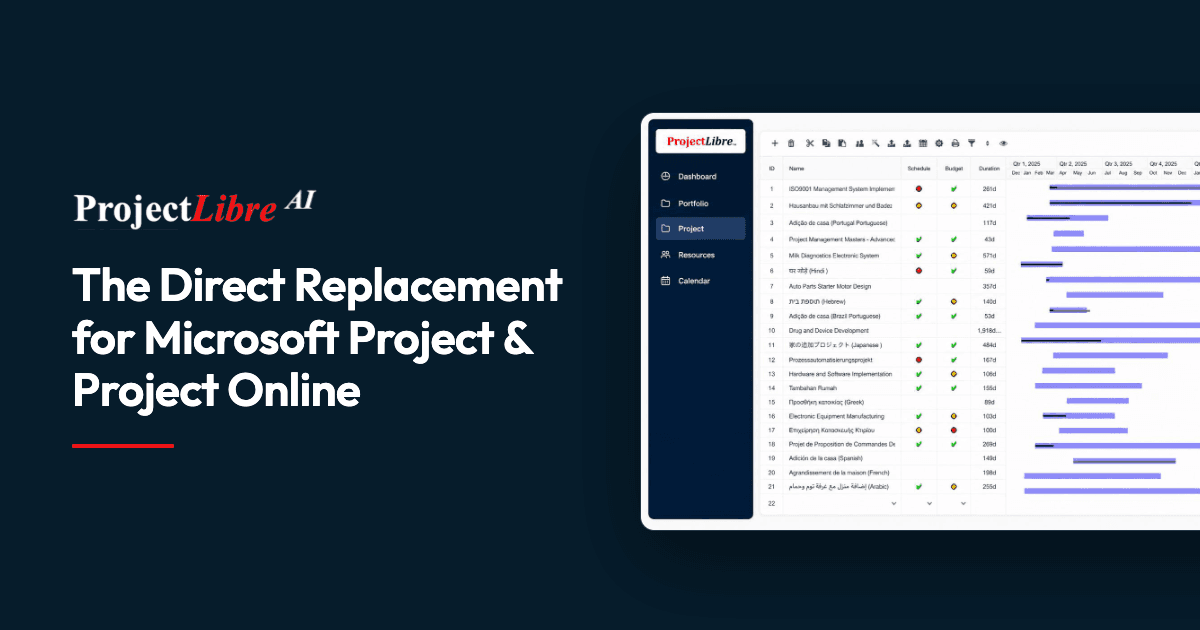
ProjectLibre is a professional project management platform built as a direct replacement for Microsoft Project and Microsoft Project Online. It opens existing .MPP and .XER files directly so teams keep their tasks, dependencies, schedules, resources, baselines, and critical path without rebuilding projects.
The product spans a free open-source Desktop application and a cloud SaaS platform. ProjectLibre Cloud adds portfolio management, enterprise resource pools, real-time collaboration, role-based access, Monte Carlo risk analysis, DCMA audits, and an AI Copilot. More than 8.7 million people across 193 countries use it in 54 languages.
Key Benefits
- Open Microsoft Project .MPP and Primavera .XER files directly without rebuilding projects
- Preserve tasks, dependencies, schedules, resources, baselines, and critical path on import
- Professional CPM scheduling with critical path, float, resource leveling, and earned value
- Run Monte Carlo risk analysis and DCMA schedule quality audits in the cloud
- Generate and edit real CPM schedules with the built-in AI Copilot
- Collaborate in real time with role-based access and enterprise resource pools
How It Works
Users import .mpp, .mpx, or Primavera files into ProjectLibre Cloud, which preserves the existing WBS, dependencies, calendars, resources, baselines, and critical path. From there they manage the schedule with resource leveling, earned value, risk analysis, and AI-assisted editing, all in the browser.
Use Cases
- Project managers migrating from Microsoft Project Online before its September 2026 retirement
- Construction contractors who share project plans with customers in real time
- PMOs that need portfolio visibility, dashboards, and role-based access across teams
- Teams requiring enterprise resource pools and cross-project resource management
- Organizations that rely on earned value and DCMA audits for project controls
Why Choose This Product
ProjectLibre positions itself as the direct replacement for Microsoft Project and Project Online, which retires September 30, 2026. It offers 100% Microsoft Project parity, a free open-source desktop edition, and cloud capabilities beyond Microsoft Project such as Monte Carlo risk analysis, DCMA audits, and a built-in AI Copilot.
ProjectLibre Pros & Cons
- Opens Microsoft Project .MPP and Primavera .XER files directly
- Free open-source Desktop version available
- Built-in AI Copilot creates CPM schedules from prompts
- Monte Carlo risk analysis and DCMA schedule audits
- True real-time co-editing across teams
Key Features
Real-time collaboration
Multiple users co-edit project schedules simultaneously in the cloud.
AI Copilot
Creates real CPM schedules from a prompt and edits projects, tasks, WBS, and resources as plans evolve.
Resource leveling
Finds overallocated resources, previews which tasks move, and levels by project and task priority.
Monte Carlo risk analysis
Runs probabilistic risk analysis on project schedules within the cloud platform.
DCMA project audits
Performs DCMA schedule quality audits to evaluate schedule integrity.
Earned value management
Tracks SPI, CPI, and TCPI performance metrics along with cost and schedule analytics.
Portfolio management
Delivers portfolio visibility and dashboards across projects and teams.
Advanced import
Imports Microsoft Project .MPP, .MPX, and Primavera .XER files with full-fidelity migration.
Role-based access
Manages teams, custom roles, and customer access with granular permissions.
Enterprise resource pools
Shares cross-project resources with enterprise pool management and resource graphs.
ProjectLibre Pricing
- Core & Pro user modes
- Import Microsoft Project files
- Full Gantt & WBS engine
- Enterprise Resource Management
- Portfolio Management
- AI Copilot
- Basic & Expert UX modes
- Import Microsoft Project files
- Full Gantt & WBS engine
- Enterprise Resource Management
- Portfolio Management
- AI Copilot
| Feature | Core $9.99/mo | Enterprise/PMO Cloud $29.99/mo | Pro Custom |
|---|---|---|---|
| Core & Pro user modes | |||
| Import Microsoft Project files | |||
| Full Gantt & WBS engine | |||
| Enterprise Resource Management | |||
| Portfolio Management | |||
| AI Copilot | |||
| Basic & Expert UX modes |
Pricing extracted from the product website and may change. Check the source for current details.
Frequently asked questions about ProjectLibre
Is ProjectLibre free?
ProjectLibre offers a free plan with optional paid upgrades. See the pricing section for what's included in each tier.
How much does ProjectLibre cost?
ProjectLibre offers the following plans: Core, Enterprise/PMO Cloud, Pro. See the pricing section for what's included in each tier and any per-seat or usage-based costs.
What platforms does ProjectLibre support?
ProjectLibre is available on: Web, Windows, macOS, Linux.