
About Post Planner
Overview
Post Planner is a social media scheduler built for engagement, used by more than 358,000 businesses to fill their feeds with high-performing content. It publishes directly to ten networks, including Facebook, Instagram, Google Business, LinkedIn, Pinterest, TikTok, X/Twitter, and YouTube, without requiring mobile approval.
Founded in 2011, the tool combines content curation with automation so teams can post more often while spending up to 85% less time on social media.
Key Benefits
- Publish directly to 10 social networks without phone approval
- Curate top-performing articles, videos, and images from your industry
- Automate scheduling with post recycling, shuffling, and bulk upload
- Generate AI images, hashtags, and captions in the post creator
- Track full analytics with date filtering and one-click re-queue
- Save up to 12 hours per week on social media management
How It Works
Users connect all their social accounts with one login, then pick content from curated sources or create their own posts. They set up a schedule, drag to re-order posts, and Post Planner publishes each post directly to the network at the chosen time, recycling top content to keep the feed active.
Use Cases
- Small business owners schedule a week of posts in one session
- Content marketers curate viral articles and videos from their industry
- Social media managers handle multiple client accounts across networks
- Agencies run unlimited posting for 50 or more client accounts
- Local businesses publish and manage their Google Business profiles
Why Choose This Product
Post Planner targets small businesses and solopreneurs with a free tier, a 7-day trial on every plan, and a non-profit discount. Its direct publishing removes the need for phone approvals, and the content tool surfaces posts already proven to perform well on other profiles.
Post Planner Pros & Cons
- Free plan with no credit card required
- Publishes directly to networks without mobile approval
- Curates top-performing content from industry sources
- Offers a 7-day free trial on all plans
- Schedules posts to 10 social networks
- X/Twitter and Pinterest require the Growth plan or higher
- Free plan caps scheduled posts at 10 and daily posts at 3
Key Features
Content Curation
Curates top-performing articles, videos, and images from all networks, including viral media and content older than 3 days on plus plans.
AI Post Creator
Generates AI images, hashtags, captions, and post ideas, with unlimited hashtags and captions on all plans.
Post Recycling
Automatically reuses top-performing posts to keep your feed active without creating new content.
Automated Scheduling
Schedules and re-orders posts with drag-and-drop, bulk upload, copying, shuffling, and category buckets.
Media Editor
Edits images through the built-in Studio media editor before publishing.
Social Analytics
Provides full metrics for historical posts with date range filtering, engagement comparisons, and one-click re-queue.
Direct Publishing
Publishes scheduled posts directly to networks without requiring mobile approval or notifications.
Bulk Post Creation
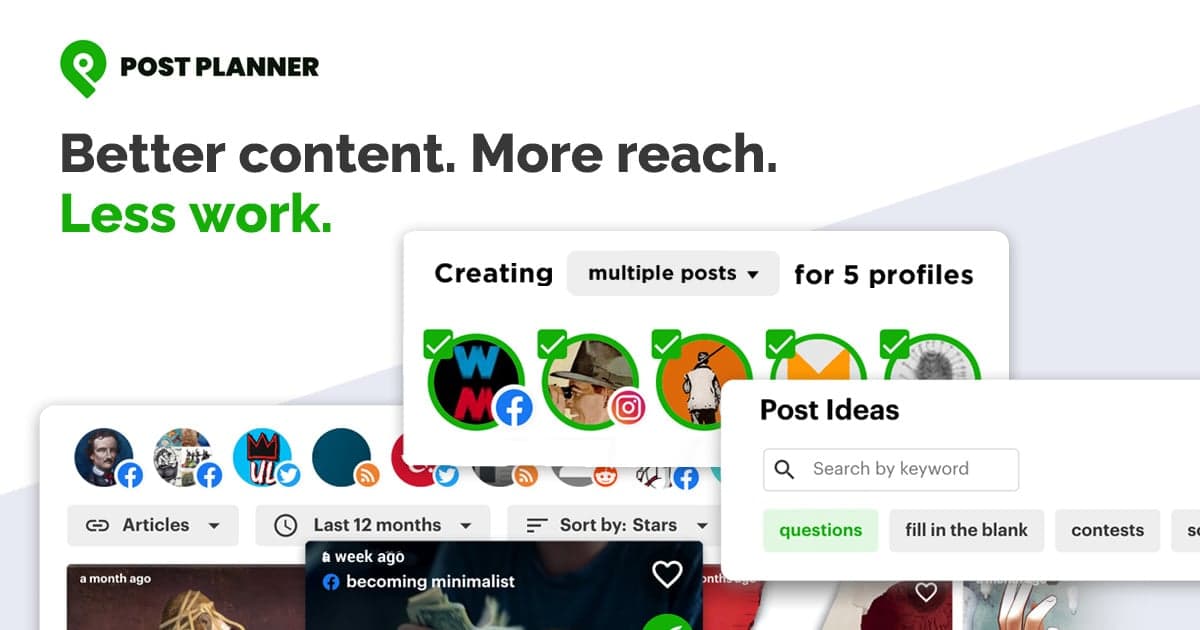
Schedules dozens of posts at once across multiple profiles and networks with one click.
Post Planner Pricing
View full pricing →- 1 social account
- 1 user
- 10 scheduled posts
- 3 daily posts per profile
- 1 AI image per month
- Email & chat support
- 3 social accounts
- 1 user
- 150 scheduled posts
- 12 daily posts per profile
- 15 AI images per month
- 15 social accounts
- 2 users
- 1,500 scheduled posts
- 24 daily posts per profile
- 150 AI images per month
- Scheduling plus, content plus, and analytics
- 25 social accounts
- 5 users
- Unlimited scheduled posts
- Unlimited daily posts per profile
- 250 AI images per month
- 50 social accounts
- 10 users
- Unlimited scheduled posts
- 500 AI images per month
- 100 social accounts
- 20 users
- Unlimited scheduled posts
- 1,000 AI images per month
| Feature | Free Free/mo | Starter $9/mo | Growth $39/mo | Business $69/mo | Agency $119/mo | Agency + 50 $219/mo |
|---|---|---|---|---|---|---|
| 1 social account | ||||||
| 1 user | ||||||
| 10 scheduled posts | ||||||
| 3 daily posts per profile | ||||||
| 1 AI image per month | ||||||
| Email & chat support | ||||||
| 3 social accounts | ||||||
| 150 scheduled posts | ||||||
| 12 daily posts per profile | ||||||
| 15 AI images per month | ||||||
| 15 social accounts | ||||||
| 2 users | ||||||
| 1,500 scheduled posts | ||||||
| 24 daily posts per profile | ||||||
| 150 AI images per month | ||||||
| Scheduling plus, content plus, and analytics | ||||||
| 25 social accounts | ||||||
| 5 users | ||||||
| Unlimited scheduled posts | ||||||
| Unlimited daily posts per profile | ||||||
| 250 AI images per month | ||||||
| 50 social accounts | ||||||
| 10 users | ||||||
| 500 AI images per month | ||||||
| 100 social accounts | ||||||
| 20 users | ||||||
| 1,000 AI images per month |
Pricing extracted from the product website and may change. Check the source for current details.
Frequently asked questions about Post Planner
Do all plans come with a free trial?
Yes, all plans include a 7-day free trial. You can create a free account and choose your plan during the trial, then upgrade or downgrade to any plan.
Will I be charged during my free trial?
No, you won't be charged during the 7-day free trial unless you end it early to get a discount. If you don't move to a paid plan after the trial, you are moved to the Free plan automatically.
Why is Post Planner less expensive than other tools?
Post Planner tries to offer a price that works for small businesses and solopreneurs. If you can't afford a higher plan, you can choose the Starter plan after your trial and upgrade later.
What forms of payment do you accept?
Post Planner accepts all major credit cards and PayPal. For other payment methods, you can contact [email protected].
What if I need a bigger plan than Agency?
You can contact [email protected] or start a free trial and upgrade to the Agency Plus plans during your trial.
What if I don't know which plan to choose?
You can start your free trial on the Business plan and decide from there. You can downgrade or upgrade to any plan during the trial, or cancel in seconds.