About Momentra
Overview
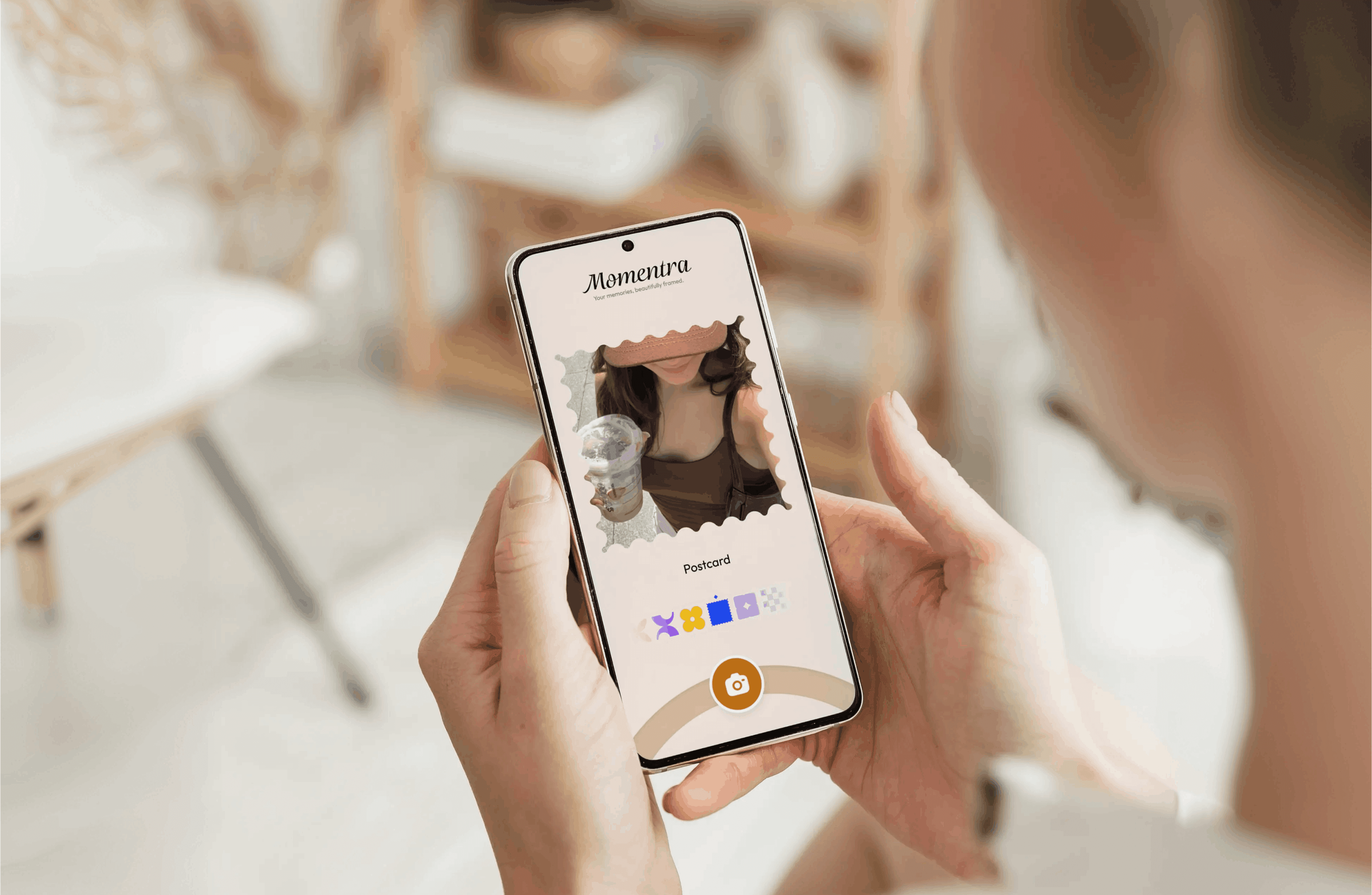
Momentra is a camera and photo framing app that places your photos inside aesthetic frames. You browse a collection of frames, pick one that matches your mood, then capture a new photo or select an existing one from your device. The app shows the framed result before you save it, so you can check the look first and adjust your choice.
The team updates the frame collection weekly with new custom aesthetic designs, and the latest version of the app gives you immediate access to all of them. Momentra renders every image locally on your device, so your photos stay private unless you explicitly share them. The app's stated aim is simple: less editing, more feeling.
Key Benefits
- Pick a frame that matches your mood from a curated aesthetic collection
- Get new custom frames every week by updating to the latest app version
- Preview your photo inside the chosen frame before you commit to saving
- Keep photos private because image rendering happens locally on your device
- Share finished framed images to Instagram, TikTok, and Pinterest in one tap
- Skip heavy editing work and frame a memory in four short steps
How It Works
Start by browsing Momentra's frame collection and selecting a design that fits your mood. Next, capture a new photo with the app or choose one already stored on your device. The app then shows a preview of your photo inside the selected frame, and once you like the result you save the finished image or share it with your favorite people and platforms.
Use Cases
Use Cases
- Journal lovers turn daily diary entries into visual memories by framing everyday photos
- Travelers make trip photos feel like postcards using the app's aesthetic frames
- Café creators frame coffee, flowers, books, and quiet corners from their sessions
- Social media posters share framed images natively to Instagram, TikTok, and Pinterest in one tap
- Photo hobbyists preview how an image looks inside a frame before saving a finished copy
Why Choose This Product
Momentra separates framing from editing: instead of adjusting sliders, you pick a ready-made aesthetic frame and preview the result in seconds. Because rendering runs on the device, your photos never reach Momentra's servers unless you decide to share them. Weekly frame drops keep the collection fresh, and native sharing to Instagram, TikTok, and Pinterest removes the export-and-upload detour.
Momentra Pros & Cons
- Weekly drops of new custom aesthetic frames
- Photo rendering happens locally on the device
- One-tap native sharing to Instagram, TikTok, and Pinterest
- Four-step flow from frame selection to share
Key Features
Aesthetic Frame Collection
Browse a curated collection of aesthetic frames and pick one that matches your mood.
Weekly New Frames
Momentra updates the frame collection weekly with new custom aesthetic designs.
Capture or Select Photo
Take a new photo inside the app or choose an existing one from your device.
Framed Preview
See your photo inside the selected frame before you save the finished image.
Save and Share
Save the finished framed image or share it with your favorite people and platforms.
Local Image Rendering
Momentra processes all image rendering on your device, so photos are never uploaded to its servers unless you share them.
Native Social Sharing
Share framed memories to Instagram, TikTok, Pinterest, and other major platforms in one tap.
Frequently asked questions about Momentra
What is Momentra?
Momentra is a camera and photo framing app that lets you frame your favorite memories in aesthetic frames. You capture or select a photo, preview it inside a chosen frame, and then save or share the finished image.
How do I get more frames?
Momentra updates its collection weekly with new custom aesthetic frames. You can access all frames immediately by updating to the latest version of the app.
Is my data private and secure?
Yes. Momentra processes all image rendering locally on your device. Your photos are never uploaded to Momentra's servers unless you explicitly choose to share them.
Can I share directly to social media?
Yes. Momentra integrates natively with Instagram, TikTok, Pinterest, and other major platforms, so you can share your framed memories in just one tap.
Who is Momentra designed for?
Momentra targets journal lovers who turn daily entries into visual memories, travelers who want trip photos to feel like postcards, and café creators who frame coffee, flowers, books, and quiet corners.
How do I download the Momentra app?
Open the Momentra website and scan the QR code with your phone camera to download the app.