
About Frontend Mentor
Overview
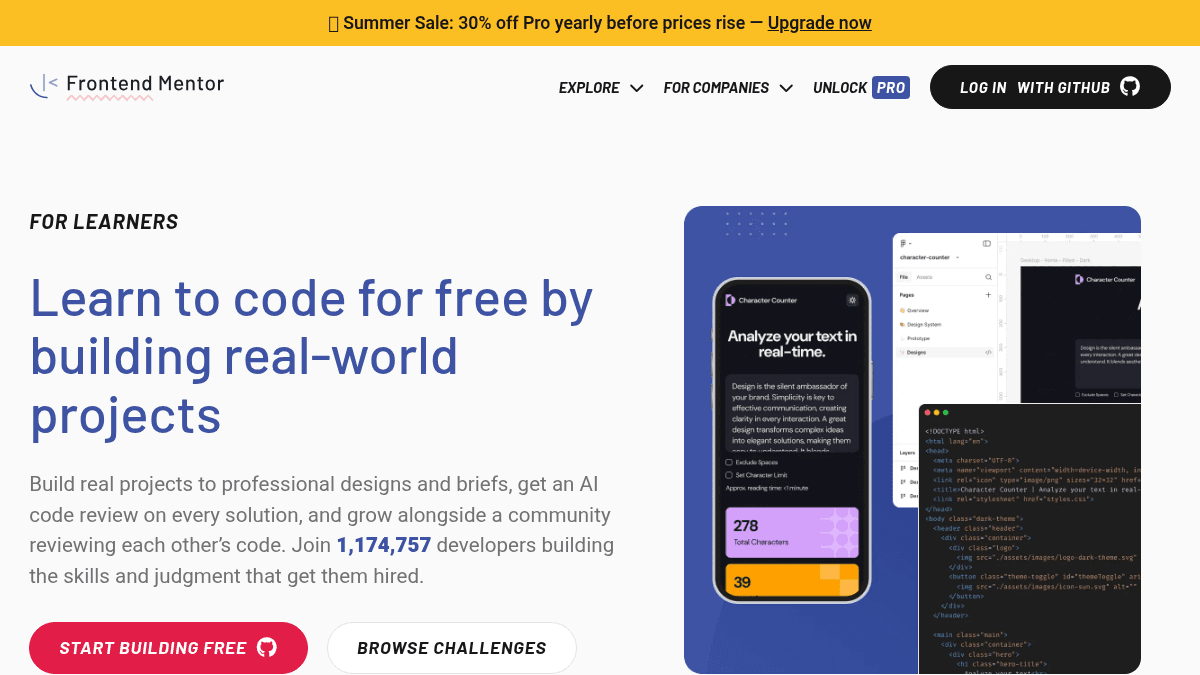
Frontend Mentor is a platform that teaches web development through building real-world projects with professional Figma designs and briefs. Users build projects with any technology stack while receiving AI-powered code reviews and feedback from a community of over 1.17 million developers.
The platform addresses the gap between passive learning (tutorials) and practical experience by offering hands-on project-based training. Unlike typical tutorial platforms, it combines professional design-to-code workflows with peer reviews and AI assistance, preparing developers for how modern teams actually work.
Key Benefits
- Access 120+ professional projects across five difficulty levels with design files or product briefs.
- Receive AI code reviews with line-level findings scored against project requirements.
- Build a portfolio of production-ready projects that recruiters recognize and value.
- Practice using AI tools from day one, learning when output is good enough to ship.
- Connect with a supportive community of 1,174,757 developers for code reviews and career advice.
- Use professional Figma design files to learn real design-to-code workflows used in production.
How It Works
You choose from 120+ professional projects at your skill level, then build using any technology stack. Submit your work to receive an AI code review with line-level findings scored against the brief's requirements. Finally, you review other developers' code and receive feedback from the community to identify gaps and sharpen your skills.
Use Cases
- Self-taught developers transitioning from tutorials: Build portfolio projects with professional designs to prove they can ship production-ready code.
- Junior developers at engineering teams: Companies use Frontend Mentor to train hires with real-world challenges instead of theoretical tutorials.
- Career-switchers entering web development: Practice full-stack builds with AI assistance to learn judgment on whether output is ready to deploy.
- Hiring teams seeking junior talent: Review live project submissions and code quality to identify developers with demonstrated skills beyond resumes.
- Developers learning design-to-code workflows: Work with professional Figma files and specs to master the same process real client projects require.
Why Choose This Product
Frontend Mentor suits developers who want to build a professional portfolio while learning practical skills through real projects rather than passive tutorials. The platform is best for those seeking peer feedback and AI assistance alongside hands-on practice. Free members get one AI code review per month, while Pro members unlock unlimited reviews and premium challenges for continuous skill development.
Frontend Mentor Pros & Cons
- Over 1.17 million active developers in community for peer learning and feedback
- Free tier includes AI code review once per month plus free challenges and design access
- Professional Figma design files teach real design-to-code workflows used in production
- Supports multiple technology stacks from vanilla HTML/CSS to React, Node, and full-stack apps
Key Features
Professional Project Challenges
Users access 120+ real-world projects across five difficulty levels with design files or product briefs.
AI Code Review
Every solution receives line-level code review findings scored against the project brief's requirements.
Figma Design Files
Professional design files accompany each design challenge to teach the design-to-code workflow developers use on the job.
Community Code Reviews
Developers review each other's code to sharpen skills, learn different approaches, and build connections.
Portfolio Building
Completed projects create a portfolio of production-ready work that demonstrates hireable skills to recruiters.
Stack Flexibility
Users build with any technology stack, from HTML and CSS to React, Node.js, and full-stack applications.
AI Learning Integration
Developers practice using AI tools from day one to debug, ask questions, and learn judgment on code quality.
Enterprise Solutions
Engineering teams can train junior developers with real-world challenges and track progress through submissions.
Frontend Mentor Pricing
- Free challenges included
- AI code review once per month
- 5 Figma design files per month
- 2 premium challenges per month
- Private solutions
- Custom solution domains
- Free challenges included
- AI code review on every solution
- Unlimited Figma design files
- Unlimited premium challenges
- Private solutions
- Custom solution domains
- View challenge solutions early
- Free challenges included
- AI code review on every solution
- Unlimited Figma design files
- Unlimited premium challenges
- Private solutions
- Custom solution domains
- View challenge solutions early
| Feature | Free Free | Pro Monthly $15/mo | Pro Yearly $120/yr |
|---|---|---|---|
| Free challenges included | |||
| AI code review once per month | |||
| 5 Figma design files per month | |||
| 2 premium challenges per month | |||
| Private solutions | |||
| Custom solution domains | |||
| AI code review on every solution | |||
| Unlimited Figma design files | |||
| Unlimited premium challenges | |||
| View challenge solutions early |
Pricing extracted from the product website and may change. Check the source for current details.
Frequently asked questions about Frontend Mentor
Do free members get code reviews?
Yes, free members receive one AI code review per month. Pro members get line-level findings on every submission they make.
What can I build on Frontend Mentor?
You can build with any technology stack you choose. Projects range from HTML and CSS for fundamentals to full-stack applications including React, Node.js, and more across 120+ challenges.
How does the community help me improve?
You review other developers' code and receive code reviews from others in return. This peer feedback sharpens your skills and helps you understand different approaches to solving problems.
Is Frontend Mentor free?
Frontend Mentor offers a free plan with optional paid upgrades. See the pricing section for what's included in each tier.
How much does Frontend Mentor cost?
Frontend Mentor offers the following plans: Free, Pro Monthly, Pro Yearly. See the pricing section for what's included in each tier and any per-seat or usage-based costs.