About Cloudback
Overview
Cloudback is an automated backup and disaster recovery service for GitHub, Azure DevOps, GitLab, and Linear. It archives repositories, project metadata, and platform data such as issues, pull requests, wikis, and documents as encrypted ZIP files. Backups run on a schedule the team sets, and archives land in customer-owned cloud storage or in Cloudback-managed regional storage.
The platform reports 14,000+ protected repositories and 4 million+ completed backups, and it has held SOC 2 Type II certification since October 2024. Cloudback encrypts every archive with AES-256 and adds RSA Lockbox customer-managed keys for teams that need to hold their own key material. Customers pay per backup unit rather than per seat, and every plan carries the full feature set.
Key Benefits
- Protect GitHub, GitHub Enterprise Cloud, Azure DevOps, GitLab, and Linear from one dashboard.
- Keep archives in your own AWS, Azure Blob, Google Cloud, OneDrive, or Wasabi storage.
- Manage backup definitions, schedules, storage, and retention as infrastructure-as-code with the official Terraform provider.
- Restore code, issues, pull requests with reviews, Projects v2 items, and wikis from a single encrypted archive.
- Track every backup event through audit logging with 50+ event types and 180-day log retention.
- Meet data residency rules with managed storage in the US, EU, UK, Sydney, and Singapore.
How It Works
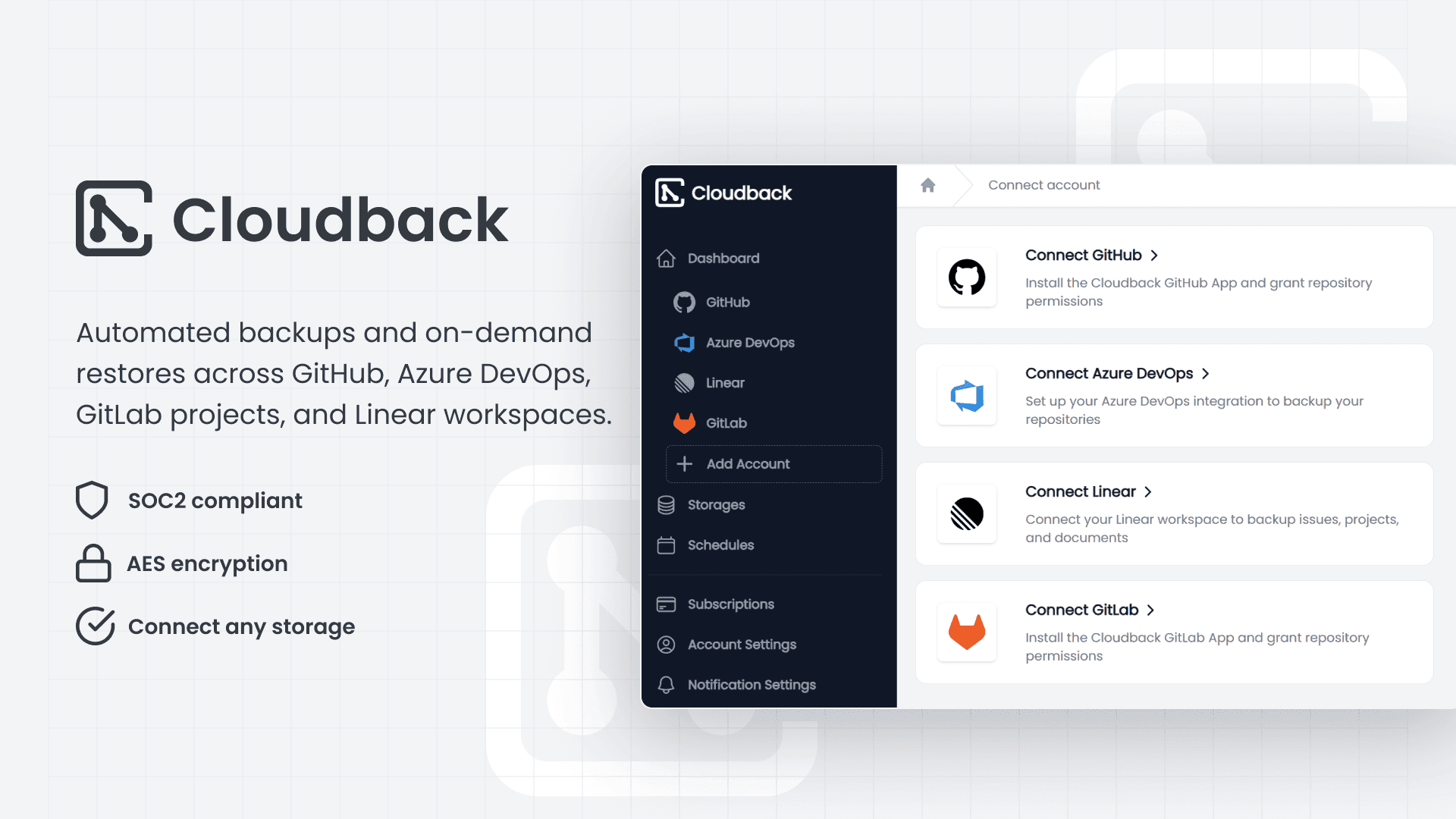
Teams connect a GitHub, Azure DevOps, GitLab, or Linear account through OAuth or a marketplace listing, then define which repositories or workspaces to protect. They choose a storage destination, pick a daily, weekly, monthly, or custom schedule, and set a retention window of 30, 90, 180, or 360 days. Cloudback runs each backup, shows status per definition in the dashboard, and sends an alert when a run fails.
Use Cases
- Individual developers use the free plan to protect a single repository of up to 100 MB.
- Platform and DevOps engineers define backup definitions, schedules, and retention in Terraform alongside the rest of their stack.
- Security and compliance teams sync Cloudback user access into Vanta to automate access reviews and audit preparation.
- Engineering managers restore issues, pull requests, and wikis after accidental deletion or a platform outage.
- Teams running Linear protect 23 workspace data categories, including projects, cycles, documents, and initiatives.
- Regulated organizations select managed regional storage to keep backups inside a required geography.
Why Choose This Product
Cloudback bills per backup unit instead of per seat, so adding reviewers or managers costs nothing. Connecting your own bucket keeps backup data out of Cloudback's systems, and S3 Object Lock adds immutable retention that even account admins cannot override. The site names Cloudback the only backup vendor that protects Linear workspaces, with Bitbucket support listed as a roadmap item. Teams working outside GitHub, GitLab, Azure DevOps, and Linear therefore wait on that roadmap before standardizing here.
Cloudback Pros & Cons
- Free plan backs up one repository up to 100 MB with all features
- Priced per backup unit rather than per seat
- Backups can stay entirely in customer-owned cloud storage
- SOC 2 Type II certified since October 2024 with audit logging
- Only backup vendor listed as protecting Linear workspaces
- Bitbucket support is only on the roadmap
- Drata integration is not yet available
- Free plan caps backups at one repository and 100 MB
- Pull requests from forks and without commits between branches are excluded
Key Features
Flexible backup schedules
All plansSet each backup definition to run daily, weekly, monthly, or on a custom schedule with 30 to 360 day retention.
Bring your own storage
All plansSend archives directly to your own AWS S3, Azure Blob, Google Cloud, OneDrive, or Wasabi bucket.
AES-256 encryption
All plansEncrypts every backup archive with AES-256 under a unique password, with optional S3 Object Lock WORM retention.
Customer-managed keys
All plansRSA Lockbox lets customers hold and control their own encryption key material for backup archives.
Terraform provider
All plansManage backup definitions, storage, schedules, and retention through the cloudback/cloudback Terraform provider and REST Operations API.
GitHub data backup
All plansStores a bare git clone with LFS plus issues, pull requests with reviews, Projects v2, releases with binaries, wikis, and webhooks.
GitLab project backup
All plansCaptures bare clones with LFS, project settings, issues with notes, merge requests, labels, milestones, members, and issue boards.
Azure DevOps backup
All plansBacks up repositories with LFS and full commit history along with pull requests, reviewer votes, comment threads, labels, and attachments.
Linear workspace backup
All plansCovers 23 Linear data categories, including workspaces, teams, issues, projects, cycles, documents, initiatives, templates, and embedded files.
Failure alerts and audit log
All plansNotifies teams of failed backups by email or Slack, Microsoft Teams, and Discord webhooks, and records events in an audit log.
Cloudback Pricing
View full pricing →- Back up one repository for free
- Repository size limited to 100 MB
- Every Cloudback feature included
- 10 backup units per month
- Ideal for individual developers or small projects
- All Cloudback features included
- Units shared across connected accounts and platforms
- 100 backup units per month
- Designed for collaborative teams and growing projects
- All Cloudback features included
- Units shared across connected accounts and platforms
- 1000 backup units per month
- Supports up to 10,000 repositories per account
- All Cloudback features included
- Contact sales for larger volumes
| Feature | Free Free | Basic $10/mo | Team $75/mo | Enterprise $500/mo |
|---|---|---|---|---|
| Flexible backup schedules | ||||
| Bring your own storage | ||||
| AES-256 encryption | ||||
| Customer-managed keys | ||||
| Terraform provider | ||||
| GitHub data backup | ||||
| GitLab project backup | ||||
| Azure DevOps backup | ||||
| Linear workspace backup | ||||
| Failure alerts and audit log |
Pricing extracted from the product website and may change. Check the source for current details.
Frequently asked questions about Cloudback
What is Cloudback?
Cloudback is an automated backup and restore service for GitHub, Azure DevOps, GitLab, and Linear. It backs up repositories, project metadata, and platform-specific data like issues, pull requests, and documents as encrypted ZIP archives. Backups run on a configurable schedule, and archives can be stored in your own cloud storage or in Cloudback's managed regional storage.
What is a pricing unit?
A unit measures backup capacity. Each enabled backup consumes units from your subscription pool: one unit per GitHub repository, one unit per Azure DevOps repository, and one unit per GitLab project. Linear is priced per workspace member using progressive tiers, where the first 5 members cost 2 units each, members 6-25 cost 4 units each, and members beyond 25 cost 6 units each. Units are shared across all connected accounts.
Where are my backups stored?
You can use customer-managed storage, where backups go directly to your own AWS S3, Azure Blob, Google Cloud, OneDrive, Wasabi, or another supported provider. Alternatively, Cloudback provides managed regional storage in the US, EU, UK, Sydney, and Singapore for teams that prefer a quick setup without configuring their own bucket.
How are backups encrypted?
Every backup archive is encrypted with AES-256 and protected with a unique password managed by Cloudback. Backups stored in Amazon S3 can also use Object Lock for immutable write-once-read-many retention, which prevents anyone, including account admins, from deleting or modifying backups during the retention period.
Can I customize the backup schedule?
Yes. Cloudback supports flexible scheduling, with backups set to run daily, weekly, monthly, or on a custom schedule. Retention policies of 30, 90, 180, or 360 days control how long archives are kept, and you configure both per backup definition in the dashboard or through Terraform.
How does Cloudback handle failed backups?
Cloudback sends notifications when a backup fails, starting with an email alert by default. You can add real-time notifications through Slack, Microsoft Teams, or Discord webhooks. The dashboard shows backup status for every definition, and the audit log records all backup events with details for troubleshooting.