
About Superlog
Overview
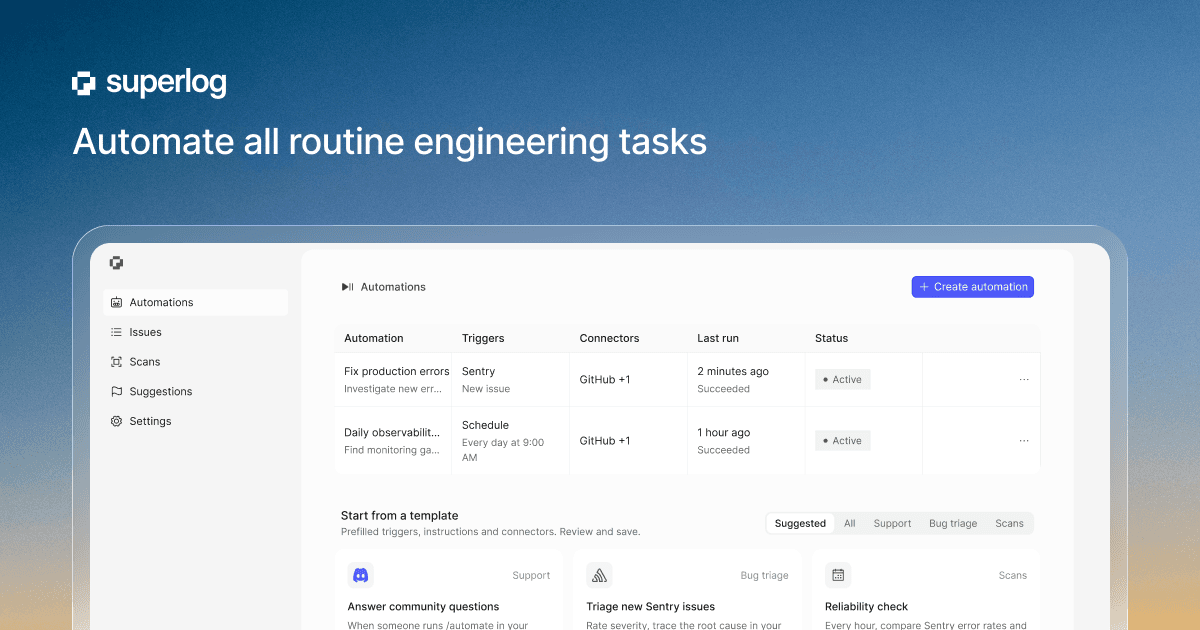
Superlog is an automation platform for engineering teams. It triages alerts, answers support questions, watches deploys, and reviews performance and observability across your code and infrastructure.
Every automation connects to your existing stack, including alerts, logs, and code, so it starts with full context. Teams choose their own model and harness and bring their own tokens and subscriptions on any plan.
Key Benefits
- Triage new Sentry issues and open pull requests with fixes
- Answer support questions in Slack or Discord by reading your code and docs
- Run hourly reliability checks that compare metrics to their usual range and alert on anomalies
- Review performance weekly and open pull requests for slow endpoints and queries
- Bring your own model API key or subscription on any plan
- Start with ready-made templates based on proven team workflows
How It Works
Superlog connects to your alerts, logs, and cloud accounts, then runs automations on schedules or triggers such as new issues, messages, and commands. When an automation finds a problem, it can open a pull request with a fix, post a plain-language summary to Slack, or reply in a support thread.
Use Cases
- Engineering teams use bug triage to filter false positives and ship fixes
- Support teams get answers from code and docs without distracting engineers
- Platform teams run proactive reliability checks across AWS CloudWatch, Datadog, and Sentry
- Managers run weekly ops reviews and tag reviewers on pull requests stuck in review
- Individual developers start with the free plan to try automations solo
Why Choose This Product
Superlog keeps the automation layer separate from the model: you bring your own API key or subscription on every plan, so switching providers does not require rebuilding your automations. Ready-made templates cover bug triage, weekly ops reviews, internal support, and reliability checks, and the free tier requires no credit card.
Superlog Pros & Cons
- Free plan with no credit card and a $5 AI usage grant
- Bring your own model API key or subscription on any plan
- Ready-made automation templates for common engineering workflows
- Integrations with Datadog, Sentry, GitHub, and Slack
- Free tier hard-stops cloud runs until monthly hours reset
- Free tier has no extra AI usage beyond the one-time $5 grant
Key Features
Bug triage
Rates new Sentry issues, posts what broke to Slack in plain words, and opens a pull request with the fix while false alarms stay quiet.
Support answers
Reads your code and docs, then replies in Slack or Discord threads with answers and links when questions come in.
Reliability checks
Every hour compares Sentry error rates and Datadog latency, errors, and saturation to their usual range and alerts Slack on anomalies.
Performance review
Finds the slowest endpoints and queries in Datadog, traces them in your code, and opens pull requests for safe fixes.
Observability review
Scans your codebase weekly for monitoring gaps and hard-to-debug code paths, then opens pull requests that add logs, tags, and spans.
Bring your own model
Lets you use your own API key or ChatGPT and Codex subscription on any plan and switch providers without rebuilding automations.
PR automation
Takes care of rebasing, flaky tests, and merge queues, and creates dashboards and watches rollouts in case something goes wrong.
Automation templates
Provides ready-made templates based on team workflows covering bug triage, weekly ops reviews, internal support, and reliability checks.
Superlog Pricing
View full pricing →- For trying it out and solo developers
- $5 of Superlog AI to try it
- 2 cloud machine hours a month
- 1 seat and 1 cloud machine at once
- $100 of Superlog AI every month
- 50 cloud machine hours
- Up to 3 machines at once
- Up to 4 CPU / 16 GB machines
- 1 seat
- $200 of Superlog AI every month
- 500 cloud machine hours
- Up to 10 machines at once
- Shared workspaces and admin dashboard
- Unlimited seats
- Custom AI usage and machine capacity
- SSO and SAML
- Audit logs
- Support SLA
- Invoice billing
| Feature | Free Free | Pro $100/mo | Team $200/mo | Enterprise Custom |
|---|---|---|---|---|
| For trying it out and solo developers | ||||
| $5 of Superlog AI to try it | ||||
| 2 cloud machine hours a month | ||||
| 1 seat and 1 cloud machine at once | ||||
| $100 of Superlog AI every month | ||||
| 50 cloud machine hours | ||||
| Up to 3 machines at once | ||||
| Up to 4 CPU / 16 GB machines | ||||
| 1 seat | ||||
| $200 of Superlog AI every month | ||||
| 500 cloud machine hours | ||||
| Up to 10 machines at once | ||||
| Shared workspaces and admin dashboard | ||||
| Unlimited seats | ||||
| Custom AI usage and machine capacity | ||||
| SSO and SAML | ||||
| Audit logs | ||||
| Support SLA | ||||
| Invoice billing |
Pricing extracted from the product website and may change. Check the source for current details.
Frequently asked questions about Superlog
How do the plans differ?
Every plan lets you bring your own API key or subscription with no limit. Plans differ by the Superlog AI usage they include, cloud machine hours, how many cloud machines can run at once, machine size, and seats.
What is Superlog AI usage?
It is the model usage your automations and investigations run on Superlog's models. When you use your own API key or subscription, your provider bills you directly and it does not count toward your Superlog AI usage.
What happens when my AI usage runs out?
On Pro and Team, extra Superlog AI usage is billed at the model provider's API list price. Free does not include extra AI usage. If your own key or subscription runs out, Pro and Team can fall back to Superlog AI, which is off by default on Pro.
What happens when my cloud machine hours run out?
On Free, new runs wait until your hours reset at the start of the next month. On Pro and Team, extra machine time is billed at a per-hour rate, which is lower on Team.
Which plan is right for me?
Start with Free to try your first automations. Choose Pro if you use Superlog every day, or Team if several people share automations and workspaces. Talk to Superlog about Enterprise if you need SSO, audit logs, or custom terms.
Is Superlog free?
Superlog offers a free plan with optional paid upgrades. See the pricing section for what's included in each tier.