About PixelForge
Overview
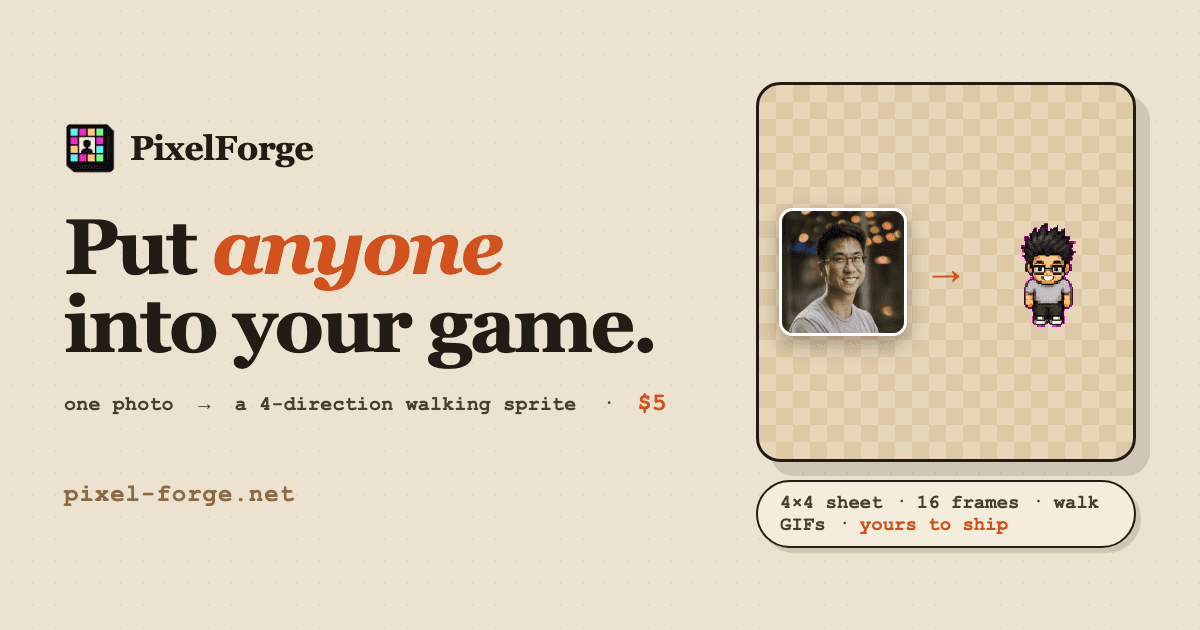
PixelForge converts one portrait photo into a game-ready character sprite pack for a flat $5 per character. An AI image model draws a strict 4×4 down, left, right and up sheet from the photo, then deterministic Python removes the key color, aligns every frame's feet, and packages transparent files. Buyers need no account, subscription, or sprite editor.
Each pack arrives as a ZIP holding sprite_sheet.png, 16 transparent per-frame PNGs, four horizontal direction strips, and four looping walk GIFs. A qa_notes.txt report logs alignment, key removal and per-frame status, while README.md carries drop-in usage notes for the chosen engine. Output targets Godot, Unity, Phaser, GameMaker, RPG Maker, and HTML5 or web builds.
Key Benefits
- One flat $5 payment per character, with no account, subscription, or editor to manage.
- Every pack ships a 4×4 direction sheet plus 16 transparent frames with feet aligned.
- Four horizontal direction strips and four looping walk GIFs land in the same ZIP.
- Deterministic Python handles key-color removal and foot alignment instead of a one-click filter.
- Drop-in README notes cover import into Godot, Unity, and other 2D engines.
- Up to three complimentary retries cover any pack that comes back off target.
How It Works
A buyer uploads one clear, front-facing portrait of a single person and pays $5. The AI model generates the 4×4 sheet, then the Python step strips the key color, aligns feet across all 16 frames, and extracts clean files. The finished ZIP appears on a job page, where the buyer downloads it or claims a complimentary retry.
Use Cases
- Godot developers drop the frames into AnimatedSprite2D and get a walking character.
- Game jam teams produce a usable character in minutes instead of editing frames by hand.
- Vibe-coding hobbyists add characters their AI code tools cannot generate on their own.
- Unity 2D developers slice the sheet into clips and play it back as an animated sprite.
- RPG Maker MV and MZ users get 48px frames sized for their sprite slots.
- Gift buyers order an animated pixel portrait of a friend for $5.
Why Choose This Product
PixelForge keeps one flat price and skips accounts and subscriptions, so a developer goes from photo to shippable sprite in minutes. The output is plain transparent PNG and GIF files rather than a locked project inside an editor, and every pack includes engine-specific import notes. The page states buyers can ship the sprites in commercial games, and a retry policy plus manual QA handling cover packs that miss the mark.
PixelForge Pros & Cons
- Flat $5 one-time price per character pack
- No account or subscription needed to buy
- Ships 16 transparent frames with feet aligned
- Includes 4 direction strips and 4 looping walk GIFs
- Up to 3 complimentary retries on off-target packs
Key Features
Single Photo Input
PixelForge takes one clear, front-facing portrait of a single person as the only input it needs.
AI Sheet Generation
An AI image model generates a strict 4×4 sheet arranged down, left, right and up from the photo.
Code Frame Cleanup
Deterministic Python removes the key color, aligns each frame's feet, and extracts real transparent files.
4×4 Sprite Sheet
Every pack includes sprite_sheet.png as one strict 4×4 grid with feet aligned across directions.
Transparent PNG Frames
The ZIP carries 16 individual transparent PNG frames, one for each cell of the sheet.
Direction Strips
Four horizontal strips ship ready to slice into per-direction animations inside a 2D engine.
Looping Walk GIFs
Four looping walking GIFs arrive in the pack, one for each of the four directions.
QA Notes File
A qa_notes.txt report covers alignment, key-color removal, and a per-frame breakdown of the pack.
Drop-In README
README.md gives engine-specific import guidance for Godot, Unity, Phaser, GameMaker and web builds.
Complimentary Retries
The job page offers up to three complimentary retries when a generated pack does not look right.
PixelForge Pricing
- 4×4 sprite sheet covering down, left, right and up
- 16 transparent per-frame PNGs with feet aligned
- 4 horizontal direction strips ready to slice
- 4 looping walking GIFs, one per direction
- qa_notes.txt report and drop-in README.md
- No account, no subscription, no editor
Pricing extracted from the product website and may change. Check the source for current details.
Frequently asked questions about PixelForge
Is PixelForge AI?
Yes. An AI image model generates the 4×4 sheet from your photo, then deterministic Python removes the key color, aligns the feet, and extracts clean frames. The page describes it as a QA'd pipeline rather than a one-click filter.
Can I use PixelForge sprites in a commercial game?
Yes. The transparent frames and strips drop into most 2D engines, and the page states the pack is yours to ship in commercial projects.
What photo works best for PixelForge?
One clear, front-facing portrait of one person. If you have a group photo, crop to the person you want before paying. The pipeline preserves what reads at 48px: hair, glasses, shirt color, body shape, and expression.
What do I get for $5?
A ZIP with sprite_sheet.png (strict 4×4 sheet for down, left, right and up), 16 transparent per-frame PNGs with feet aligned, four horizontal direction strips, four looping walk GIFs, qa_notes.txt, and README.md with engine import notes.
What happens if my sprite pack comes out bad?
Use the Not looking right option on your job page for up to three complimentary retries. If a pack fails QA, PixelForge handles it manually, and you can email [email protected] for help.
Do I need an account to use PixelForge?
No. You upload a photo, pay $5, and download your ZIP. That is the whole process — no account, no subscription, and no editor.