About Modularscale
Overview
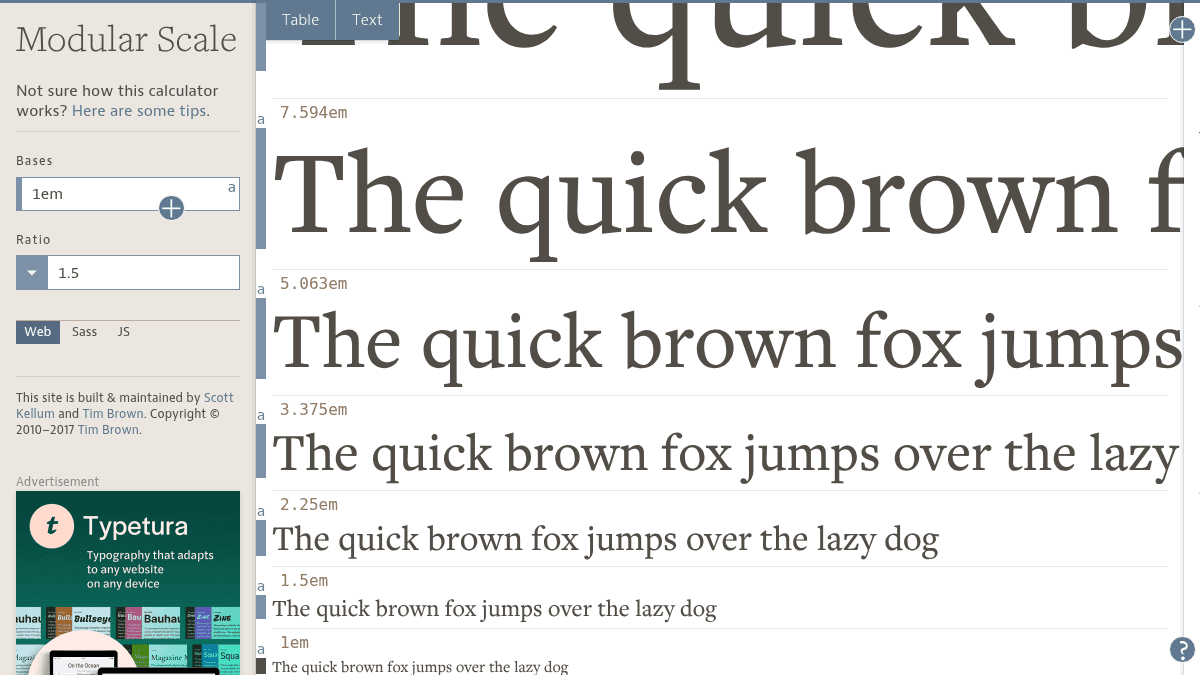
Modularscale is a web-based calculator that generates modular scales—sets of proportionally related numbers used in web design and typography. You provide a base number (typically your body text size) and select a ratio, and the tool multiplies them to create a harmonious scale of values for sizing type, grids, spacing, and layout elements.
Designers use modular scales to ensure visual harmony across a composition by applying consistent mathematical relationships rather than arbitrary sizing. The tool supports multiple bases and ratios to create multi-stranded scales when needed, offering more flexibility in finding values that work for any project.
Key Benefits
- Generate proportionally related number sets using musical and harmonic ratios from minor seconds to double octaves.
- Export scales as Sass or JavaScript plugins for direct integration into web projects.
- Reference calculated scales directly on the web calculator without requiring installation.
- Create multi-stranded scales by combining multiple bases or ratios for greater flexibility in layout sizing.
- Type target values like "36@5" to find where a desired size appears on your scale.
How It Works
You enter a base number (such as your body text size) and select a ratio from options like golden section, perfect fifth, or major sixth. The calculator multiplies the base by the ratio to generate a scale of proportionally related values. You can copy configuration code from the Sass or JS tab to integrate the scale directly into your project, then call the function ms(0) and change the number to retrieve different values from your scale on the fly.
Use Cases
- Web designers setting heading and body text sizes in a typographic hierarchy aligned with musical harmonic ratios.
- Layout engineers sizing grids, spacing, and composition dimensions using consistent mathematical proportions.
- Design system teams establishing baseline scales that can be referenced across Sass or JavaScript projects.
- Typography researchers exploring how historical and musical scales influence visual harmony in type design.
- Developers refactoring CSS by replacing arbitrary size values with scale-based variables for maintainability.
Why Choose This Product
Modularscale is ideal for designers and developers who want mathematical rigor and visual harmony in typography and layout without relying on guesswork. The tool works best for teams ready to adopt consistent ratios across projects, though it requires some conceptual understanding of modular scales and intentional base selection to use meaningfully.
Modularscale Pros & Cons
- Free, no login or installation required to use the web calculator
- 13 harmonic and musical ratios including golden section and perfect fifth
- Sass and JavaScript plugins for direct integration into design systems
- Multi-stranded scale support for greater layout flexibility
- Target value lookup lets you find where desired sizes appear on the scale
Key Features
Scale Calculator
Enter a base number and select from 13 musical and harmonic ratios to generate a complete modular scale.
Ratio Library
Choose from named ratios including minor second, golden section, perfect fifth, and double octave.
Multi-Stranded Scales
Combine multiple bases or ratios to create scales with more flexible sizing options across a project.
Sass Plugin
Export scale configuration as Sass code to install in your project and reference values with the ms() function.
JavaScript Plugin
Export scale configuration as JavaScript code to integrate the calculator directly into your web project.
Web Calculator
Reference and visualize scales directly on the website without needing to install or configure anything.
Target Value Lookup
Type a desired size value using notation like '36@5' to find where that size appears on your generated scale.
Modularscale Pricing
Pricing extracted from the product website and may change. Check the source for current details.
Frequently asked questions about Modularscale
How do I use a modular scale in my project?
Use scale values as a ruler to set type sizes, grid dimensions, spacing, and element sizes. Many designers start with heading type sizes, but you can apply the scale to any compositional element. For dynamic updates, install the Sass or JS plugin in your project and call the ms() function with different numbers to retrieve scale values.
What makes a good base?
Body text type size is a practical starting point. For more precision, examine font metrics like x-height. Fixed-width images, ads, or layout constraints can also serve as meaningful bases if they are important to your design.
Can I use more than one ratio?
Yes. A single base with one ratio creates a modular scale. Adding a second base or ratio creates a multi-stranded scale with more numbers, offering greater flexibility. However, avoid too many strands, as they dilute the harmonic relationship. Multiple bases and ratios together risk creating unrelated numbers in the output.
Should I use the Sass or JavaScript plugins?
The plugins allow you to integrate the scale calculator directly into your project and change scales dynamically without manually remembering values. The web calculator alone is sufficient for reference and visual creation, but plugins save effort and enable live adjustments during development.
Is Modularscale free?
Yes — Modularscale is free to use. See the pricing section for any optional add-ons.