
About Franz
Overview
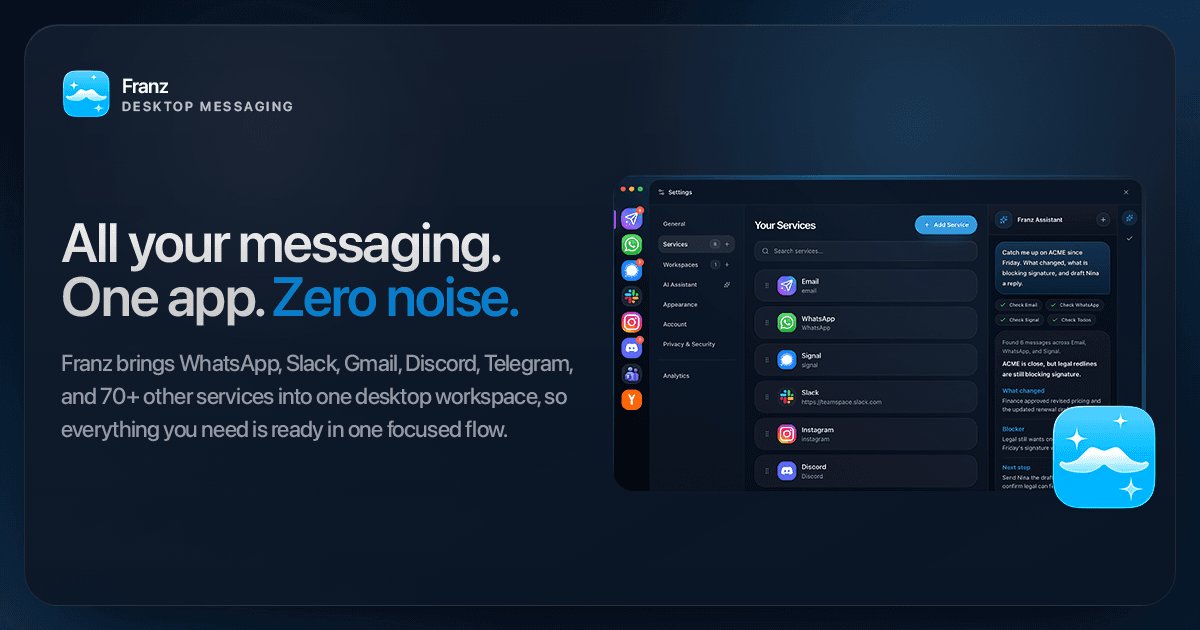
Franz is a desktop app for Mac, Windows, and Linux that brings WhatsApp, Slack, Gmail, Signal, Discord, Telegram, and 75+ supported services into one window. It helps consultants, recruiters, founders, and operators answer client, team, and email messages without switching between apps. Each service runs in its own isolated container with unified notifications and unread badges.
Franz started in Vienna, Austria, in 2016 and is built by its founder. The Franz Assistant summarizes recent activity across services and drafts replies from the same window. Franz also includes a Magic Bar for quick search and actions, a built-in task manager, and calendar views from Google, Outlook, and iCloud.
Key Benefits
- Keeps client chat, team chat, and email in one operating view, so the next reply is obvious instead of buried.
- Shows Google, Outlook, and iCloud calendars beside the conversations they relate to.
- Runs Signal natively with transcription, summaries, and action items in the same workflow.
- Blocks trackers and neutralizes email tracking pixels across the services you use.
- Keeps passwords, tokens, and credentials encrypted in your OS keychain.
- Runs separate accounts for teams, clients, and personal life at once without repeated sign-ins.
How It Works
Download Franz and add the services you use, such as WhatsApp, Slack, Gmail, or any custom website. Group those services into workspaces by mode, team, or priority. Open the Magic Bar to find messages, jump to work, or ask Franz for help.
Use Cases
- Consultants keep client WhatsApp, team Slack, and inbox handoffs in one view.
- Recruiters move between client chat, team chat, inbox follow-through, and private threads, all from one app.
- Founders and operators track inbox follow-ups and private Signal threads from one desk.
- Client-facing professionals keep team, client, and personal accounts signed in at the same time.
Why Choose This Product
Franz has run for a decade, with over one million downloads and a Lifetime option for one payment. The free plan covers up to 3 services and 1 workspace, and Pro and Max remove those limits. Max includes Franz Cloud AI with 5M tokens a month, processed in the EU with zero data retention.
Franz Pros & Cons
- Free plan with up to 3 services and 1 workspace
- 75+ supported services, including WhatsApp, Slack, Gmail, and Signal
- Native Signal client with transcription and summaries
- Calendars from Google, Outlook, and iCloud in one view
- Privacy Shield blocks trackers; secrets stay in the OS keychain
- Voice dictation requires macOS 26 or later on an Apple Silicon Mac
- Free plan is limited to 3 services and 1 workspace
- Sharing one account or login between several people is not allowed
Key Features
Cross-channel workspace
Shows WhatsApp, Slack, Gmail, Signal, and Discord in one working view with unified notifications and unread badges.
Unlimited services and workspaces
Pro+Pro, Max, and Lifetime remove the 3-service and 1-workspace limit of the free plan.
Magic Bar
Finds messages, opens work, takes supported actions, and asks Franz for help from one shortcut.
Native Signal client
Runs Signal as a native sub-app with voice transcription, summaries, and action items.
Priority email inbox
Franz Mail sorts formal handoffs, approvals, and follow-ups with a priority inbox and sender intelligence.
Calendars beside chats
Shows Google, Outlook, and iCloud calendars in one view next to the conversations they relate to.
Plain snippets
Pro+Saves frequently typed replies so a saved snippet pastes exactly as written.
Smart snippets
Max+Fills in the person, topic, and date from the open conversation before you send the reply.
Privacy Shield
Pro+Blocks trackers and fingerprinting scripts across the services you use every day.
On-device voice dictation
Pro+Holds one key to dictate into any added service on macOS 26 or later with Apple Silicon.
Franz Pricing
View full pricing →- Up to 3 messaging services
- 1 workspace
- Local-only AI privacy
- Basic AI runs on your device
- Unlimited messaging services and workspaces
- Plain snippets, Smart Translate, and Privacy Shield
- App lock, voice dictation on macOS, and 1Password autofill
- AI runs on your own provider or machine
- Everything in Pro
- Smart snippets that fill in person, topic, and date
- Sender intelligence and 50 web research runs a month
- Franz Cloud AI with 5M tokens a month, EU zero retention
- One payment, one license per person
- Unlimited services and workspaces
- Plain and smart snippets saved to your account
- Every future Franz update included
| Feature | Starter Free | Pro $60/yr | Max $120/yr | Lifetime $199 one-time |
|---|---|---|---|---|
| Unlimited services and workspaces | ||||
| Plain snippets | ||||
| Smart snippets | ||||
| Privacy Shield | ||||
| On-device voice dictation |
Pricing extracted from the product website and may change. Check the source for current details.
Frequently asked questions about Franz
Is Franz really free?
Yes. Franz is free with up to 3 services, 1 workspace, and Basic AI that runs on your device. Free users may experience a brief loading pause once per hour. Pro removes this and adds unlimited services, workspaces, and full-speed AI.
Is my data safe?
Your messages stay on your device, and Privacy Shield blocks trackers across all services. If you use Cloud AI, processing happens in the EU with zero data retention. Nothing is stored and nothing is used for training.
Does Franz support WhatsApp and Signal?
Yes. WhatsApp runs as a webview with full functionality. Signal is built in as a native sub-app, not a web wrapper, and both get full AI features, including conversation summaries and voice message transcription.
Can I use Franz on multiple computers?
Yes. Franz is available for Mac (Apple Silicon and Intel) and Windows, and you can use it on multiple computers even on the free plan. Services, workspaces, and settings sync across your desktops when you sign in.
Can I use Franz at work or with my team?
Yes. Each licence covers one person across their own devices, such as a work laptop and a home desktop. Sharing one account or login between several people is not allowed, so each team member needs their own licence.
What is the difference between Pro and Max?
Pro covers every service and workspace, plain snippets, Smart Translate, Privacy Shield, and app lock, and it runs on the AI model you configure. Max adds smart snippets, sender intelligence, web research, and Franz Cloud AI with 5M tokens a month, processed in the EU with zero data retention.