
About Framer
Overview
Framer is an AI website builder that lets anyone design, build, and publish professional websites without writing code. It targets designers, freelancers, startups, and teams who want full creative control over their site without being locked into rigid templates.
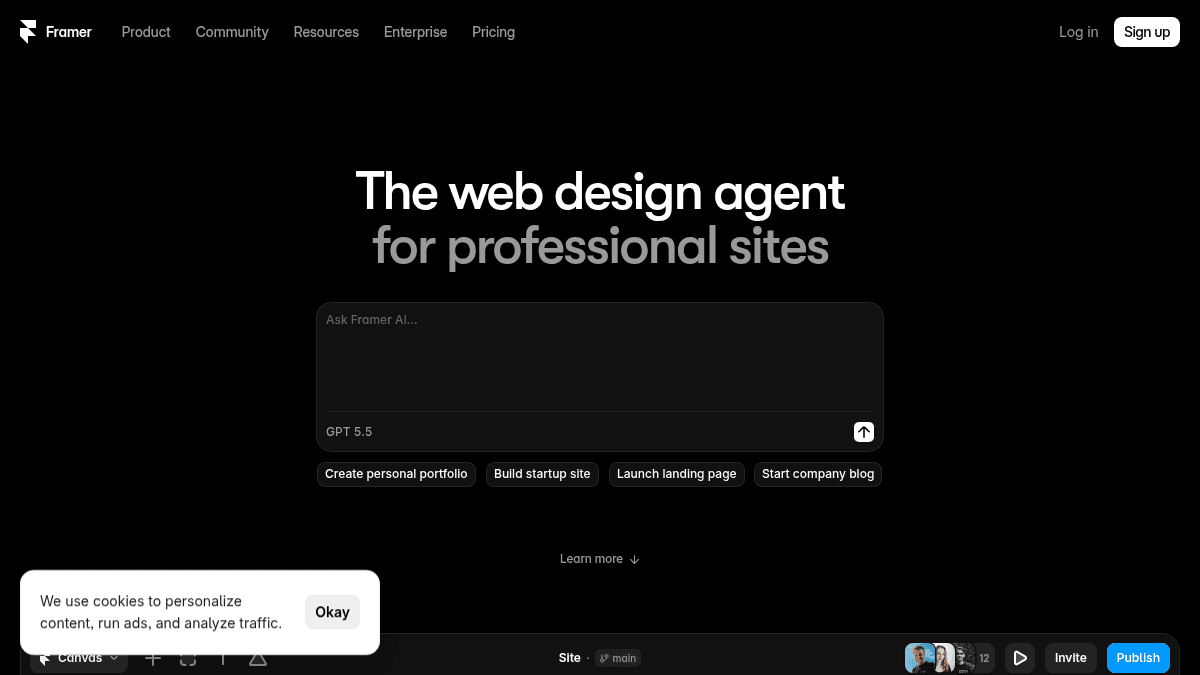
Unlike traditional website builders, Framer puts a design agent directly on the canvas that generates and refines elements in place — every change stays visible and editable.
Key Benefits
- Free plan includes 500 credits to try agents and AI features.
- Basic plan starts at $10 per month with a free custom domain and 1,000 CMS items.
- Pro plan provides 10 CMS collections, 100 GB bandwidth, staging environment, and branching with previews.
- Enterprise plan offers unlimited editors, custom limits, SCIM, SSO, and an uptime guarantee.
- Additional editors cost $20 per month per seat and content editors cost $10 per month per seat.
- External agent connectivity works with Terminal, Codex, Claude Code, Cursor, and GitHub PRs.
How It Works
You open a Framer canvas and invoke the design agent by describing what you want — for example, "add a 3D image ticker and a short intro." The agent edits the page directly, swapping text and inserting components. You then use classic design tools (layers panel, style controls, responsive breakpoints) to polish the result.
Use Cases
- Freelance designers who need a portfolio site they can build and customize in hours without a developer.
- Startup founders launching a landing page for their product with minimal upfront investment.
- In-house marketing teams at agencies or scale-ups running their full marketing stack on Framer's Pro plan.
- Students exploring web design who want a free plan to learn the tool and create non-commercial projects.
- Developers triggering CMS changes from a terminal or shipping site updates from a GitHub PR via external agents.
Why Choose This Product
Framer is best suited for designers and teams who want a visual, no-code environment with agent-powered assistance rather than a drag-and-drop page builder. The free plan limits you to 1 GB bandwidth and no custom domain, so commercial sites will need at least the Basic plan.

FramerPros & Cons
- Free plan available with full design canvas
- AI design agent works directly on the canvas
- No-code visual editor for professional sites
- Staging and branching on Pro plan
- Works with external agents (Slack, GitHub, Terminal)
Key Features
Design agent
Basic+A design agent lives on the canvas and generates or refines page elements in place.
CMS agent
Basic+The CMS agent sets up, organizes, and updates CMS collections connected to the canvas.
External agent actions
Basic+External agents from Terminal, Codex, Claude Code, Cursor, or GitHub PRs can take actions on your site.
Staging environment
Pro plan includes a staging environment for testing changes before publishing.
Branching & previews
Pro plan includes branching with previews for exploring changes in parallel.
Site redirects
Basic+Add site redirects to maintain search engine rankings when URLs change.
Built-in SEO
Basic+Built-in SEO tools help optimize pages for search engines.
Localization add-on
Translate your site into up to 20 locales with AI-powered localization available as an add-on.
A/B testing add-on
A/B testing, funnels, and customization with Triggers available as the Convert add-on.
Advanced hosting
Pro+Advanced hosting supports multiple sites and custom headers under one domain as an add-on.
Framer Pricing
View full pricing →- 500 credits to try
- Free Framer domain
- 1 GB bandwidth
- Design pages
- 10 CMS collections
- 1,000 pages
- Free custom domain
- 10 CMS collections
- 100 GB bandwidth
- Site redirects
- Staging environment
- Branching with previews
- Credits with volume discounts
- Custom limits
- Unlimited editors
- Enterprise-grade security
- Uptime guarantee
- SCIM
- SSO
| Feature | Free Free | Pro $30 | Enterprise Custom |
|---|---|---|---|
| Design agent | |||
| CMS agent | |||
| External agent actions | |||
| Site redirects | |||
| Built-in SEO | |||
| Advanced hosting |
Pricing extracted from the product website and may change. Check the source for current details.
Frequently asked questions about Framer
What are credits?
Every plan includes monthly credits that power Agents, Localization, and other AI features. Credits are shared across your workspace and reset at the start of each calendar month. On the Free plan, when no active subscriptions exist, you get 500 credits a day up to 1,000 per month.
What11s included in the Free plan?
Projects on the Free plan include 10 CMS collections, 1,000 pages, 5 MB file uploads, and one free locale. To connect a custom domain you need a paid plan. Workspaces without a subscription support collaboration with up to three editors.
Which plan is right for me?
The Free plan is ideal for non-commercial use. Basic is for students, freelancers, and small studios. Pro is for teams at agencies, startups, and scale-ups. Enterprise is for teams needing custom limits, annual billing, and dedicated support.
How are extra editors billed?
Editors are billed per seat and can be added at any time. You get notified when an editor is added and are charged within 24 hours.
Is Framer free?
Framer offers a free plan with optional paid upgrades. See the pricing section for what's included in each tier.
How much does Framer cost?
Framer offers the following plans: Free, Pro, Enterprise. See the pricing section for what's included in each tier and any per-seat or usage-based costs.
How Framer compares
FramerThis | ||||
|---|---|---|---|---|
| Starting price | Free | Free | Free | Free |
| Pricing model | Freemium | Freemium | Freemium | Freemium |
| Platforms | Web | Web | Web, macOS, Windows, iOS, Android | Web |
| Top features |
|
|
|
|
| Rating | — | — | — | — |