
About DotBGE
Overview
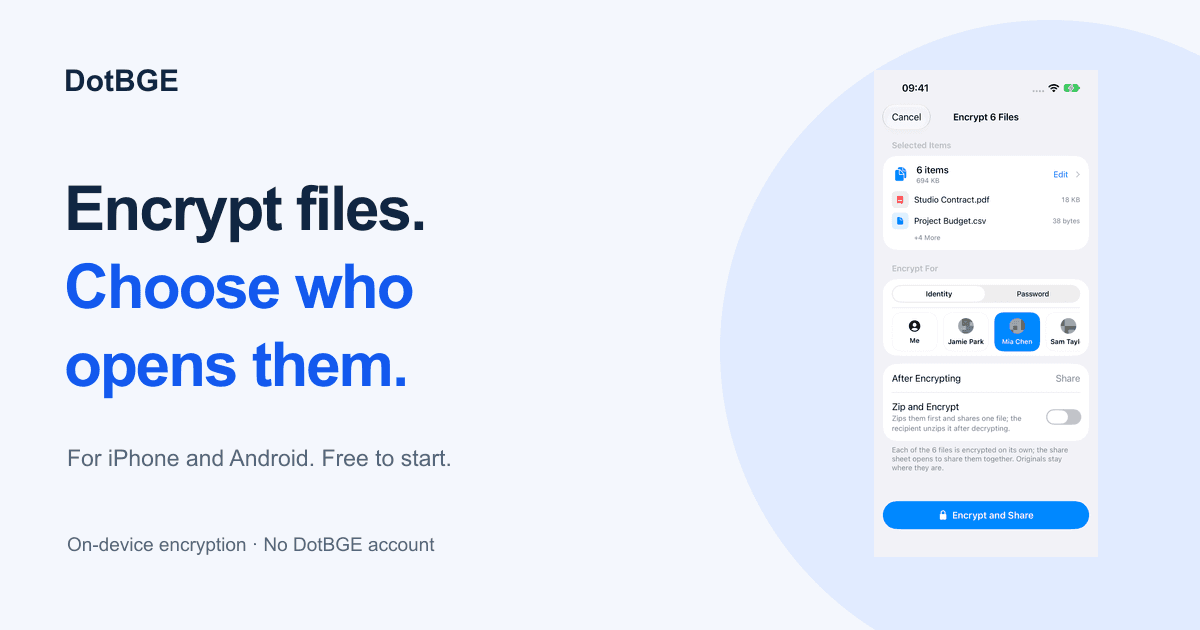
DotBGE is the official app for the open .bge encryption format. It runs natively on iPhone, iPad, and Android, and ships as a command-line tool named bge for macOS and Linux, with a macOS menu-bar app still in development. Every encryption and decryption operation runs on the device itself, with no accounts to create and no DotBGE servers in the path.
Users lock a file either to one recipient's identity or to a passphrase, then send the single .bge file wherever it needs to go. Receiving stays free: anyone can install DotBGE, authenticate, and open a .bge file without buying anything. The company builds the app around the documented .bge container so files outlast the product that made them.
Key Benefits
- Encrypt a file so that only the holder of one identity's private key can open it, with identity cards exchanged by QR code instead of key servers
- Seal files with a passphrase derived through PBKDF2-SHA512 at one million rounds when the recipient has no DotBGE installed
- Keep sensitive files in a vault protected by device biometrics that locks itself the moment the app moves to the background
- Preview decrypted photos, PDFs, and video inside the app without writing anything back to disk
- Encrypt straight from Photos or Files with the iOS Share Extension, or through the system share sheet on Android
- Open any incoming .bge file free, because decrypting and previewing never require a purchase
How It Works
Install DotBGE from the App Store or Google Play, then bring a file in through the system share sheet or the in-app picker. Choose identity mode and share an identity card QR code with the recipient, or choose password mode and set a passphrase. The app writes one .bge file that the recipient opens by authenticating with device biometrics or by entering the passphrase.
Use Cases
- iPhone and iPad owners use the Share Extension to encrypt from Photos or Files and optionally keep the vault synced through their own private iCloud
- Android users on Android 8.0 or newer encrypt files and messages, manage identities, and keep a local vault on the device
- Developers and operations engineers script the bge CLI for batch jobs and pipelines on macOS and Linux
- AI agent builders call the bge binary to encrypt outputs inside automated workflows
- Recipients without the app install DotBGE free and open a password-sealed .bge file in seconds
- Privacy-minded senders hand a file to exactly one colleague without uploading a public key to any server
Why Choose This Product
The .bge container is fully documented and free for anyone to implement, so encrypted files stay readable by other tools and are not tied to this app, this company, or an account. Private keys are generated on-device, protected by the iOS Keychain or Android Keystore, and never uploaded. Everyday encryption and all decryption stay free forever, while Pro adds batch and folder encryption, unlimited vault storage, and multiple identities for a one-time $24.99 or $3.99 per month.
DotBGE Pros & Cons
- Decrypting, previewing, and single-file encryption are free forever
- No accounts and no DotBGE servers; all work happens on-device
- Open, documented .bge format that any developer can implement
- Native apps plus a scriptable CLI for macOS and Linux
- .bge files move between iPhone, iPad, Android, and the CLI
- Batch, folder encryption, and multiple identities require Pro
- Free vault holds a maximum of three files
- The macOS menu-bar app is still in development
- Identity exchange needs both sides to trade an identity card first
Key Features
Identity Mode
All plansEncrypts a file so only the holder of that identity's private key can open it, with public keys exchanged through a QR-code identity card.
Password Mode
All plansSeals a file with a passphrase stretched by PBKDF2-SHA512 across one million rounds and never stores the password.
Biometric Vault
All plansStores sensitive files in a private vault protected by device biometrics that locks as soon as the app is backgrounded.
Trace-Free Preview
All plansRenders decrypted photos, PDFs, and video in-app without writing anything back to disk.
Share Sheet Capture
All plansBrings files in from the system share sheet on Android and encrypts straight from Photos or Files with the iOS Share Extension.
Open .bge Format
Documents the .bge container, which carries an RSA-4096-OAEP wrapped key and AES-256-GCM sealed chunks, so anyone can implement a reader or writer.
bge CLI
Ships a scriptable bge binary for macOS and Linux that handles batch work, pipelines, and AI agent workflows.
Batch & Folder Encryption
ProEncrypts whole folders and structured sets of files in a single run on the Pro tier.
Multiple Identities
ProHolds several identities alongside an unlimited vault on the Pro tier.
iCloud Vault Sync
Syncs the vault across Apple devices through the user's own private iCloud, without passing through DotBGE servers.
DotBGE Pricing
- Decrypt and preview any .bge file
- Encrypt single files in identity or password mode
- Biometric-locked vault for up to 3 files
- One identity
- System sharing and in-app preview
- Everything in Free
- Batch encryption
- Folder and structured encryption
- Unlimited vault and multiple identities
- $24.99 one-time lifetime option on the US App Store
| Feature | Free Free | Pro $3.99/mo |
|---|---|---|
| Identity Mode | ||
| Password Mode | ||
| Biometric Vault | ||
| Trace-Free Preview | ||
| Share Sheet Capture | ||
| Batch & Folder Encryption | ||
| Multiple Identities |
Pricing extracted from the product website and may change. Check the source for current details.
Frequently asked questions about DotBGE
Is DotBGE free to use?
Receiving, decrypting, and everyday encryption are free forever, and the free tier needs no account. Encrypting single files, decrypting and previewing any .bge file, one identity, and a vault of up to three files all cost nothing. Pro adds batch and folder encryption, an unlimited vault, and multiple identities for a $24.99 one-time purchase or $3.99 per month.
Do I need a DotBGE account to encrypt files?
No. DotBGE has no accounts and no servers, so nothing is uploaded and there is no dashboard to log into. The app works only with the keys held on your device.
Can I open a .bge file someone sent me without paying?
Yes. Decrypting and previewing are always free and need no purchase. Install DotBGE from the App Store or Google Play, authenticate, and open the file.
How does identity mode work?
Identity mode encrypts a file to a specific person's identity, so only the holder of that identity's private key can open it. You exchange identity cards by sharing a QR code or a small file, then store the contact's public key to encrypt for them later.
What is password mode for?
Use password mode when the recipient has no DotBGE identity to exchange, such as when you cannot trade keys ahead of time. The app derives the key from your passphrase with PBKDF2, the password is never stored, and anyone who knows the passphrase can open the file.
Where are my private keys stored?
Your private key is generated on-device and protected by the system Keychain on Apple devices or the Android Keystore on Android, with device authentication. It is never uploaded to DotBGE. On Apple devices you can optionally sync through your own private iCloud.