About DaFont
Overview
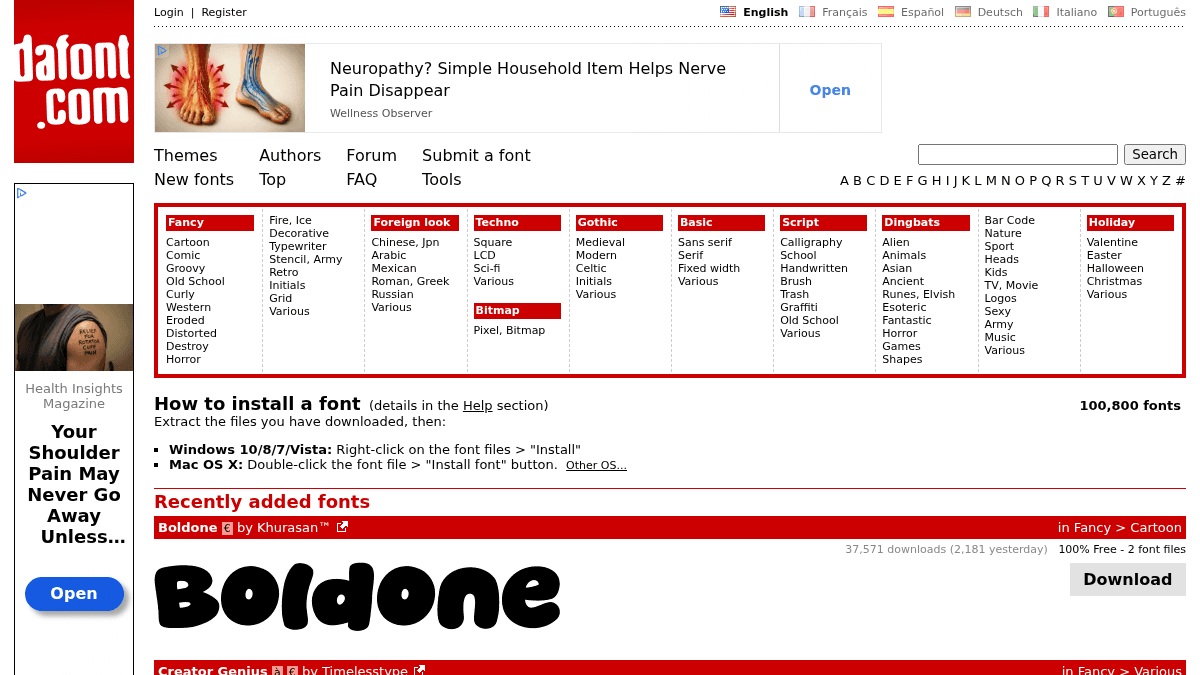
DaFont is an archive of freely downloadable fonts, offering over 100,800 typefaces. Users can browse fonts by alphabetical listing, style, author, or popularity to find the right typeface for their projects.
The site serves designers, hobbyists, and anyone looking for free fonts for personal use. Unlike commercial font foundries, DaFont aggregates fonts from individual authors who release their work as freeware, shareware, demo versions, or public domain.
Key Benefits
- Over 100,800 fonts available for download, with new fonts added regularly.
- Fonts are categorized by style (Fancy, Script, Gothic, Techno, etc.) for easy browsing.
- Many fonts are free for personal use, with some marked as 100% free.
- Each font page shows download counts and recent popularity (yesterday's downloads).
- Users can browse by alphabetical listing, by author, or by popularity.
How It Works
You browse or search the font archive by style, alphabetical listing, author, or popularity. When you find a font you like, you click the Download button to get the font archive. You then extract the files and install the font: on Windows 10/8/7/Vista you right-click the font file and select "Install", on Mac OS X you double-click the font file and click the "Install font" button.
Use Cases
- Graphic designers looking for free display fonts for personal projects.
- Hobbyists and crafters creating custom invitations, posters, or social media graphics.
- Students working on presentations, posters, or design assignments who need free typefaces.
- Font authors who want to distribute their freeware, shareware, or demo font files to a large audience.
Why Choose This Product
DaFont is best suited for users who need free fonts for personal use and want access to a large archive of over 100,000 typefaces organized by style and popularity. The site does not offer commercial licensing directly — users must check each font's readme files or author website for commercial use rights.
Let me extract the structured data from this page content. https://www.dafont.com/
DaFont Pros & Cons
- Over 100,800 fonts available
- Free for personal use on many fonts
- Organized by style, author, and popularity
- Shows download counts and recent popularity
- New fonts added regularly
- Commercial licensing not handled by the site
- Licensing details vary per font and must be checked individually
- Some fonts have unclear or missing license information
Key Features
Browse by style
Fonts are categorized by style such as Fancy, Script, Gothic, Techno, and more for easy browsing.
Popularity tracking
Each font page shows total download counts and yesterday's download numbers to indicate recent popularity.
Alphabetical listing
Users can browse fonts alphabetically from A to Z to find specific typefaces.
Browse by author
Fonts can be browsed by author name to find all typefaces from a specific designer.
Free downloads
Over 100,800 fonts are available for download, with many marked as free for personal use or 100% free.
Recently added
A dedicated section shows newly added fonts with download counts and popularity data.
Installation guide
The site provides instructions for installing fonts on Windows and Mac OS X.
DaFont Pricing
Pricing extracted from the product website and may change. Check the source for current details.
Frequently asked questions about DaFont
How do I install a font on Windows?
On Windows 10/8/7/Vista, right-click on the font files you have extracted and select 'Install'.
How do I install a font on Mac?
On Mac OS X, double-click the font file and click the 'Install font' button.
Are the fonts on DaFont free to use?
The fonts are their authors' property and are either freeware, shareware, demo versions, or public domain. The licence mentioned above the download button is just an indication. Check the readme-files in the archives or the author's website for details.
Is DaFont free?
Yes — DaFont is free to use. See the pricing section for any optional add-ons.
What platforms does DaFont support?
DaFont is available on: Web.