About CoSchedule
Overview
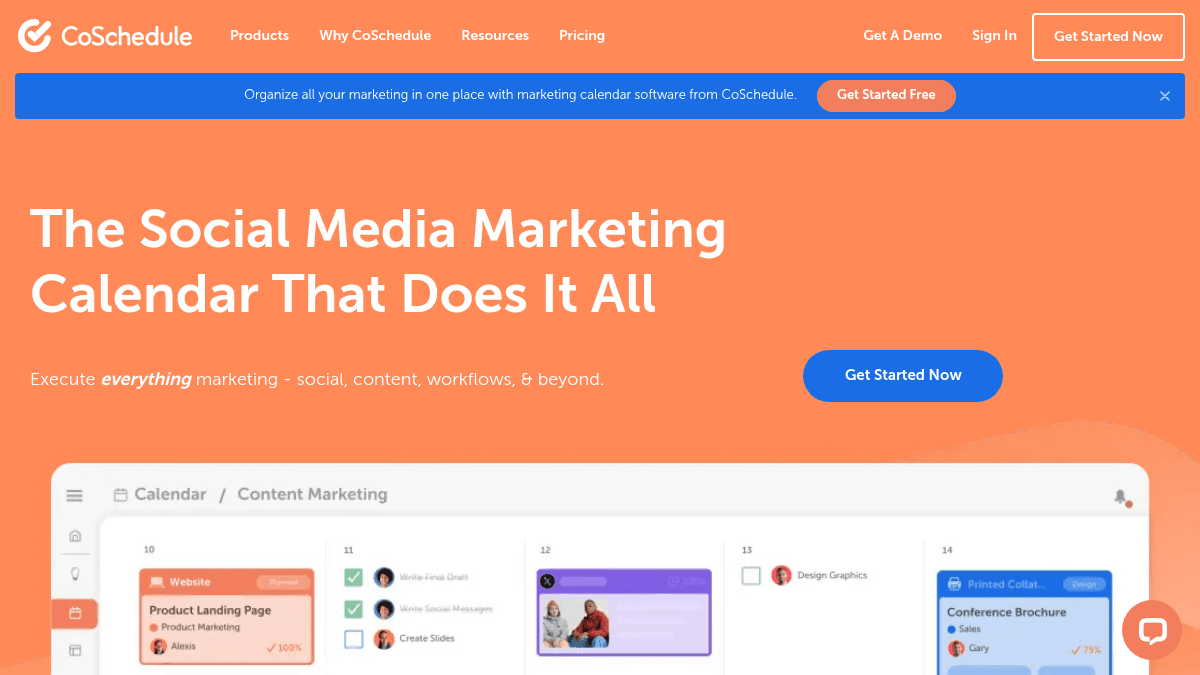
CoSchedule offers a suite of marketing calendar tools that help teams plan, schedule, publish, and measure social media and content marketing in one place. The platform combines AI-powered writing, social publishing, project management, and analytics — replacing the need to jump between separate apps for each task.
It serves social media managers, content marketers, agency teams, and marketing departments who need one shared calendar for campaigns, tasks, and approvals. Unlike general project management tools, CoSchedule is built specifically around marketing workflows and publishing schedules.
Key Benefits
- Unlimited publishing to all major social networks on every paid plan.
- Annual billing saves 20% compared to monthly billing across all tiers.
- Drag-and-drop calendar with customizable color coding and project tag management.
- AI Social Assistant, AI Campaign Assistant, and AI Project Assistant available on all paid plans.
- Best Time Scheduling and Bulk Social Media Scheduling automate post timing and volume.
- White Label social reports available on Agency Calendar and above.
How It Works
Users first create their calendar in the drag-and-drop interface, then connect their social profiles. They schedule posts directly on the calendar, use Best Time Scheduling to auto-optimize publish times, and publish content to multiple social networks in one action. Built-in AI assistants help generate drafts and reuse content through ReQueue automation.
Use Cases
- Social media managers — schedule and publish posts across Bluesky, Facebook, Instagram, LinkedIn, Pinterest, TikTok, Twitter/X, YouTube, and more from one calendar.
- Agency teams — manage separate calendars for each client with White Label features, Social Approvals, and Read-Only Calendar Sharing.
- Content marketers — plan campaigns using Kanban and Table Views, Custom Fields, and reusable campaign templates.
- Marketing teams needing approval workflows — route content through structured approval processes and intake request forms before publishing.
- Freelance social media consultants — use the Free Calendar tier with one social profile and up to 15 scheduled messages.
Why Choose This Product
CoSchedule is best suited for marketing teams and agencies that want a single calendar to manage social publishing, content projects, and team tasks. Teams with fewer than three users or limited social profiles can start on the Free or Social Calendar plans, while larger departments need the Content Calendar or Marketing Suite tiers. The platform does not show enterprise pricing publicly — those tiers require a sales call.
CoSchedule Pros & Cons
- Generous free tier with 1 user and 1 social profile
- Unlimited social publishing on all paid plans
- AI assistants for social, campaigns, and projects
- Supports 20+ social networks including Bluesky and Mastodon
- White Label features for agencies
Key Features
Best Time Scheduling
Social Calendar+Automatically schedules social posts at the optimal time for each connected profile.
ReQueue Automation
Social Calendar+Re-queues evergreen social messages to fill gaps in the publishing schedule automatically.
AI Social Assistant
All plansProvides AI-generated suggestions for social posts, campaign content, and project outlines.
Social Approvals
Agency Calendar+Allows clients or team members to approve social posts before they are published.
White Label Features
Offers White Label capabilities so agencies can brand calendars and reports as their own.
Social Inbox
Social Calendar+Combines Facebook and Instagram messaging into a single social inbox for managing comments and DMs.
Kanban & Table Views
Content Calendar+Switches between Kanban, Table, and Calendar views for managing content projects and campaigns.
Approval Workflows
Marketing SuiteRoutes content through an approval chain with structured workflows and intake request forms.
Bulk Scheduling
Social Calendar+Schedules a large number of social messages at once using CSV upload or bulk selection.
Social Analytics
Social Calendar+Generates analytics reports and dashboard insights for social media performance.
CoSchedule Pricing
View full pricing →- Drag & Drop Calendar
- Best Time Social Publishing
- AI Assistant
- 20 AI Project Templates
- 1 Social Profile
- Up to 15 scheduled messages
- 1 user
- 1600+ AI Project Templates
- Social Analytics & Reports
- Social Inbox - Facebook & Instagram
- ReQueue Automation
- Bulk Scheduling
- 3 Social Profiles
- 3 user seats
- Unlimited Client Calendars
- Social Inbox - All Networks
- Social Profile Groups
- White Label Features
- Social Approvals
- Read-Only Calendar Sharing
- 5 Social Profiles
- 3 user seats
- Kanban & Table Views
- Marketing Campaigns
- Custom Fields
- Custom Project Types
- Project & Campaign Reports
- Guest User Access
- Dedicated Account Management
- 5 Social Profiles
- 5 user seats
- Sub-Calendars
- Approval Workflows
- Intake Request Forms
- Team Management Dashboard
- Digital Asset Management
- Advanced Audience Targeting
- Custom Permissions
- Manager Visibility & Reporting
- Single Sign-On (SSO)
- Dedicated Account Manager
- 5 Social Profiles
- Custom user limits
| Feature | Free Calendar Free | Social Calendar $19/mo | Agency Calendar $59/mo | Content Calendar Custom | Marketing Suite Custom |
|---|---|---|---|---|---|
| Best Time Scheduling | |||||
| ReQueue Automation | |||||
| AI Social Assistant | |||||
| Social Approvals | |||||
| Social Inbox | |||||
| Kanban & Table Views | |||||
| Approval Workflows | |||||
| Bulk Scheduling | |||||
| Social Analytics |
Pricing extracted from the product website and may change. Check the source for current details.