About Presentify: Screen Annotation, Cursor Highlight, Spotlight, Zoom
Overview
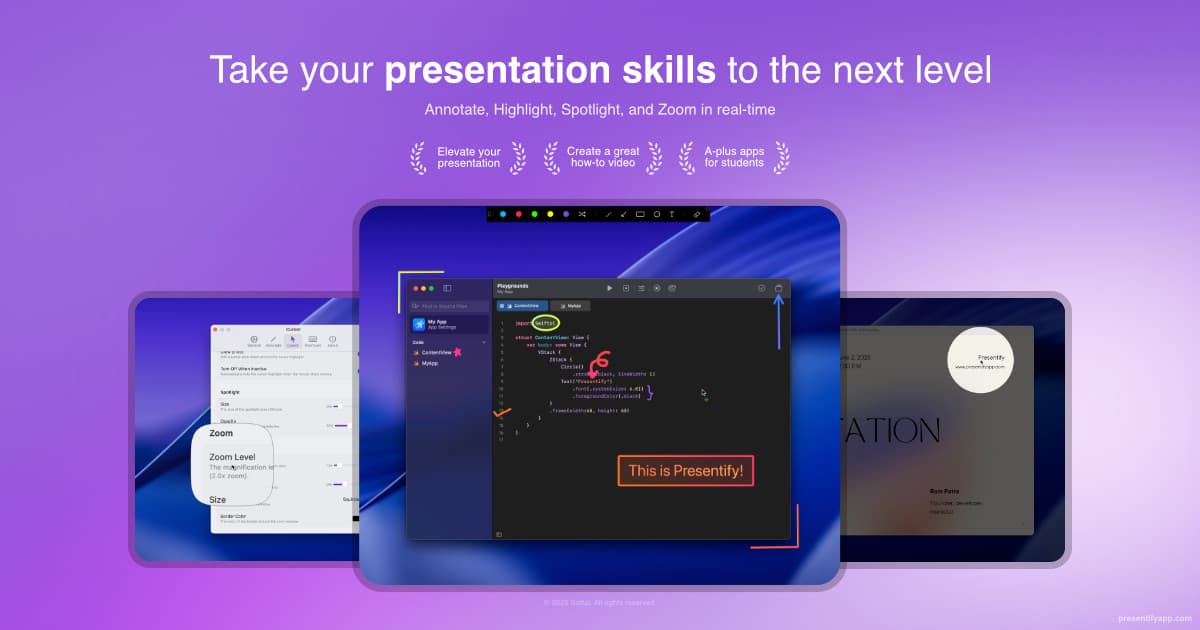
Presentify is a lightweight macOS app for drawing on your screen, highlighting your cursor, and spotlighting or zooming in on key areas during presentations, demos, tutorials, and screen shares. It annotates any app or file type and works alongside Zoom, Google Meet, Keynote, PowerPoint, and OBS.
The app is built natively for macOS with a 1MB download size, about 25MB of average memory usage, and zero reported crashes. Users install it from the Mac App Store, Setapp, Polar, direct download, or Homebrew.
Key Benefits
- Annotate any screen content in real time with pens, highlighters, text, and shapes.
- Highlight the cursor with rings, squircles, or rhombuses and click animations.
- Spotlight screen regions and dim the rest to focus viewer attention.
- Zoom to magnify small text and fine details, following the cursor.
- Auto-erase drawings after a set time to keep demos moving.
- Trigger actions from global keyboard shortcuts, including custom bindings and Stream Deck.
How It Works
Press a keyboard shortcut to start annotating, pick pens, highlighters, text, or shapes, and draw directly over any screen content. Set drawings to erase automatically, spotlight or zoom areas, and customize colors, shapes, and sizes. A whiteboard mode supports brainstorming and sketching when you prefer not to draw on the screen.
Use Cases
- Educators and online tutors annotate PDFs and slides so students can follow along during lessons.
- Network technical trainers sketch diagrams while explaining concepts instead of opening a separate drawing app.
- Sales professionals highlight key points during customer demos and remote sales meetings.
- Content creators and streamers draw on screen during screencasts and Discord sessions.
- Software developers use cursor highlighting when demonstrating apps and walking through code.
- Remote instructors use the whiteboard for brainstorming and review activities in meetings.
Why Choose This Product
Presentify ships as a native macOS app with a small footprint, using roughly 25MB of memory on average and reporting zero crashes. Nearly every visual element is customizable, from annotation colors and cursor highlight shapes to spotlight size and zoom appearance. The app supports keyboard shortcuts for almost every action and integrates with Stream Deck.
Presentify: Screen Annotation, Cursor Highlight, Spotlight, Zoom Pros & Cons
- Annotate any screen content across all apps and file types
- Cursor highlight with customizable shapes and click animations
- Works with Zoom, Google Meet, Keynote, PowerPoint, OBS, and Stream Deck
- Ultra-lightweight native app: 1MB download, about 25MB memory, zero crashes
- Available on App Store, Setapp, Polar, direct download, and Homebrew
- macOS only — built specifically for Mac systems
Key Features
Screen annotation
Draw pens, highlighters, text, and shapes in real time over any app or file type.
Digital whiteboard
Create a whiteboard to brainstorm ideas, sketch diagrams, and explain concepts.
Cursor highlight
Wrap the cursor in a ring, squircle, or rhombus with customizable color, border, and opacity.
Spotlight & zoom
Spotlight screen regions and dim the rest, or zoom to magnify small text and details.
Auto-erase drawings
Set annotations to disappear automatically after a chosen time during demos.
Keyboard shortcuts
Run almost every action with global shortcuts, including custom bindings and Stream Deck support.
Gradient colors
Choose up to five favorite colors or apply gradient effects to annotations.
Lightweight performance
Install at 1MB, average about 25MB memory usage, and report zero crashes.
Annotate any file
Draw over images, PDFs, videos, presentations, and code on screen.
Presentify: Screen Annotation, Cursor Highlight, Spotlight, Zoom Pricing
Pricing extracted from the product website and may change. Check the source for current details.
How Presentify: Screen Annotation, Cursor Highlight, Spotlight, Zoom compares
Presentify: Screen Annotation, Cursor Highlight, Spotlight, ZoomThis | ||||
|---|---|---|---|---|
| Starting price | — | Free | — | $79 |
| Pricing model | contact_sales | Free | contact_sales | one_time |
| Platforms | macOS | macOS | macOS | macOS |
| Top features |
|
|
|
|
| Rating | — | — | — | — |